


One of the biggest hurdles for website owners is boosting their search engine visibility. You’ve invested time and effort into creating high-quality content, yet your website’s rank on the search engine results page (SERP) remains low.
Without proper optimization, your site will struggle to be found by visitors. To make matters worse, search engine algorithms are constantly changing, making website optimization an even greater challenge.
For WordPress users, search engine optimization can be simplified with the help of the many SEO plugins available. However, the sheer number of options makes choosing the right one crucial. Selecting the wrong SEO plugin can negatively impact your website’s performance, leading to a loss of potential visitors and ultimately harming your business.
This article will review some of the best WordPress SEO plugins to consider. We’ll cover the main features, advantages, and disadvantages of each to help you make an informed decision.
Table of Contents
Recommended Best WordPress SEO Plugins
Beyond increasing visibility, WordPress SEO plugins can also drive organic traffic to your website. Here are our top recommendations for the best WordPress SEO plugins to consider:
1. Yoast SEO
Yoast SEO has long been recognized as one of the most popular SEO plugins for WordPress, boasting over 10 million active installations. It offers comprehensive SEO and readability analyses to guide users in crafting optimal content. Its main features include:
- Real-time SEO analysis.
- Automatic XML sitemap creation.
- Webmaster tools integration.
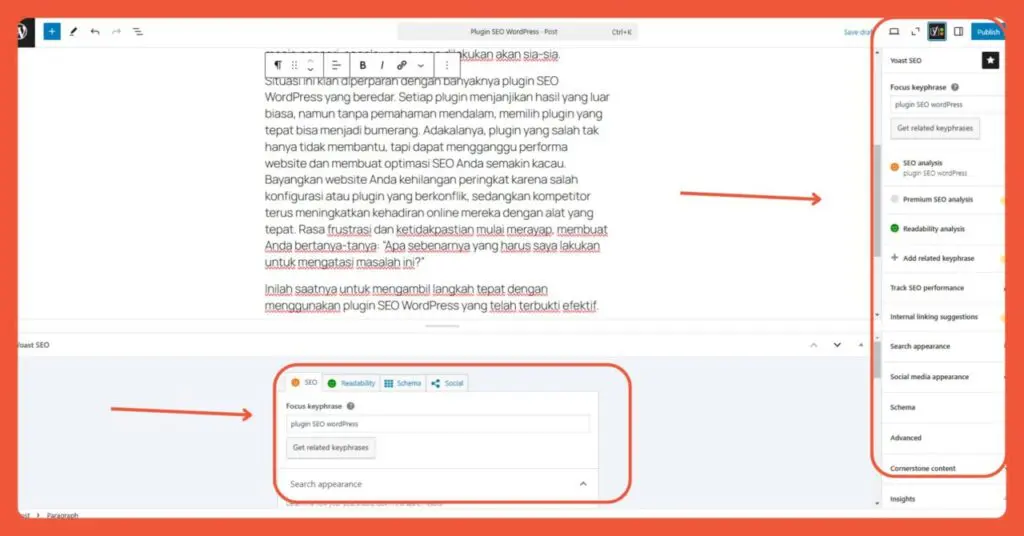
Yoast provides real-time SEO analysis with indicators on the right and bottom of the text editor to guide content optimization.
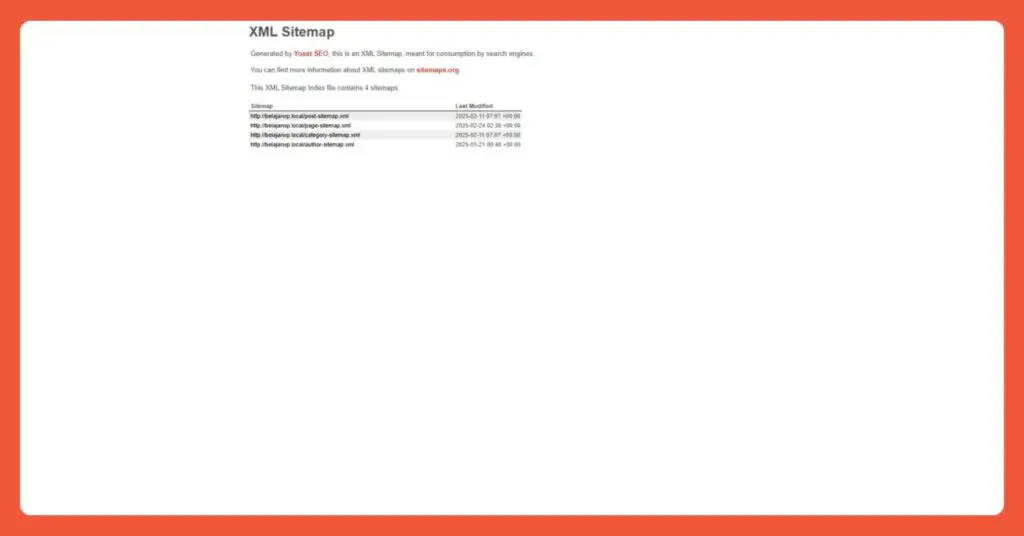
Yoast includes a free feature for automatic XML sitemap creation.
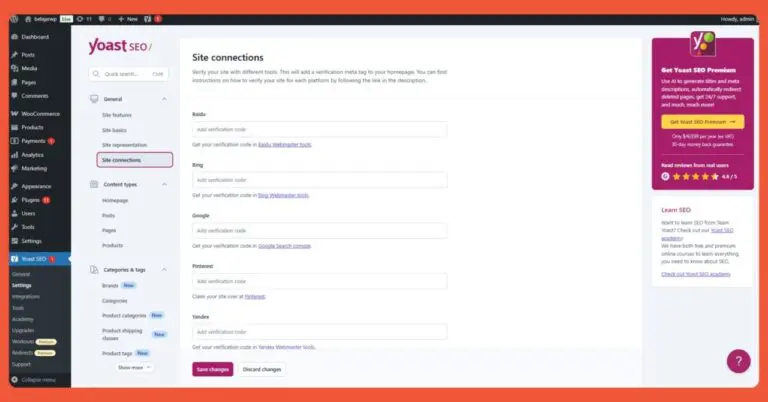
Yoast SEO’s Webmaster Tools integration offers options for multiple search engines.
Pros:
- User-friendly interface
- Clear guidance for content optimization
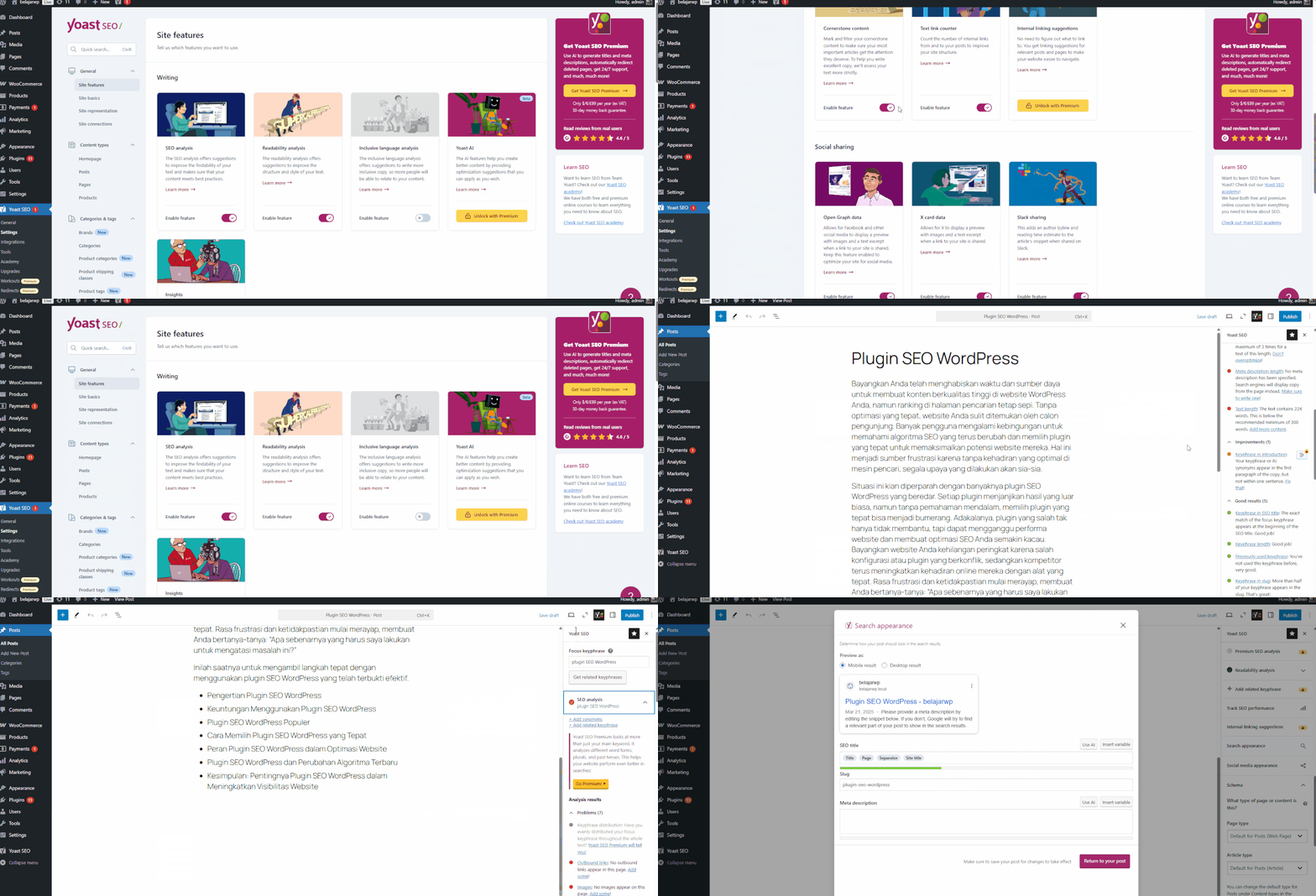
Yoast SEO features a beginner-friendly interface and provides clear instructions for optimizing content.
Cons:
- Some advanced features, like the “optimize content with AI” tool, require a paid subscription.
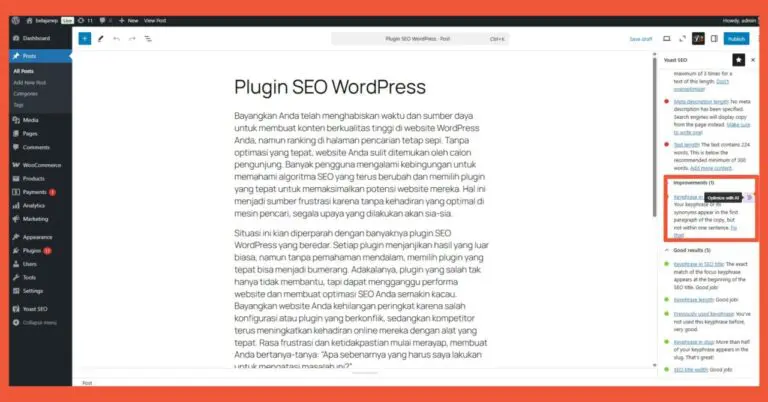
A drawback of Yoast SEO is that optimizing content with AI requires an upgrade to a paid plan.
2. Rank Math SEO
Next up is Rank Math, a plugin with over 3 million active installations. Rank Math is a forerunner in integrating artificial intelligence (AI) into its SEO tools. Its AI technology assists with more in-depth content optimization. Some of Rank Math’s features include:
- Advanced SEO analysis with dynamic keyword management.
- Schema markup and integration with Google Search Console.
- Content AI for research and content optimization suggestions.
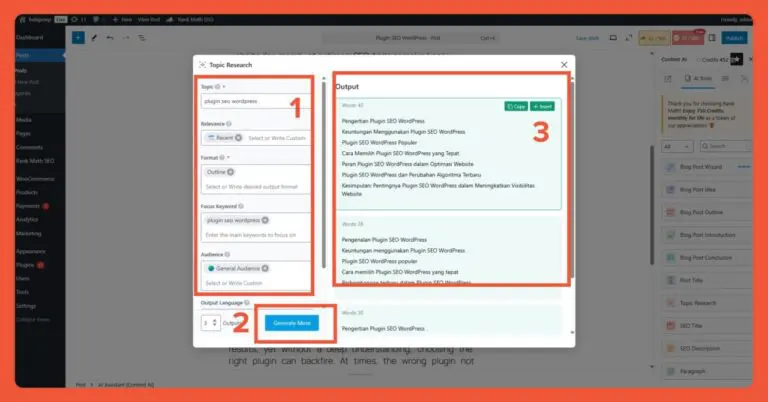
Content optimization with Rank Math can be assisted by AI. You can research keywords (1), then generate suggestions (2), and the results will appear shortly after (3).

Integration with webmaster tools is available, with many search engines to choose from.
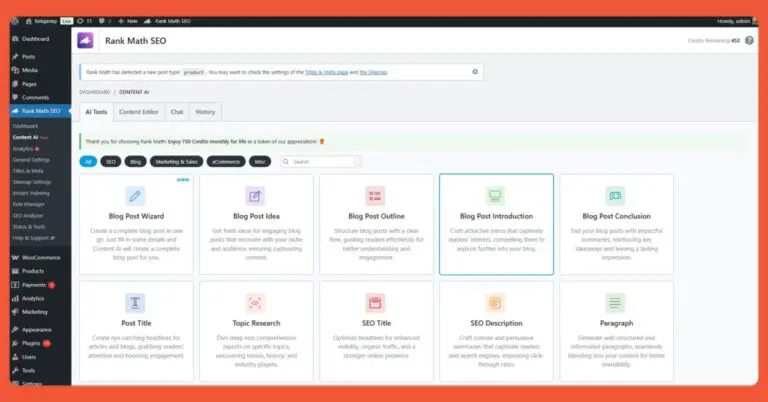
Rank Math offers a wide variety of AI-powered assistance for content optimization.
Pros:
- A fairly complete feature set in the free version.
- Includes Local SEO in the free version.
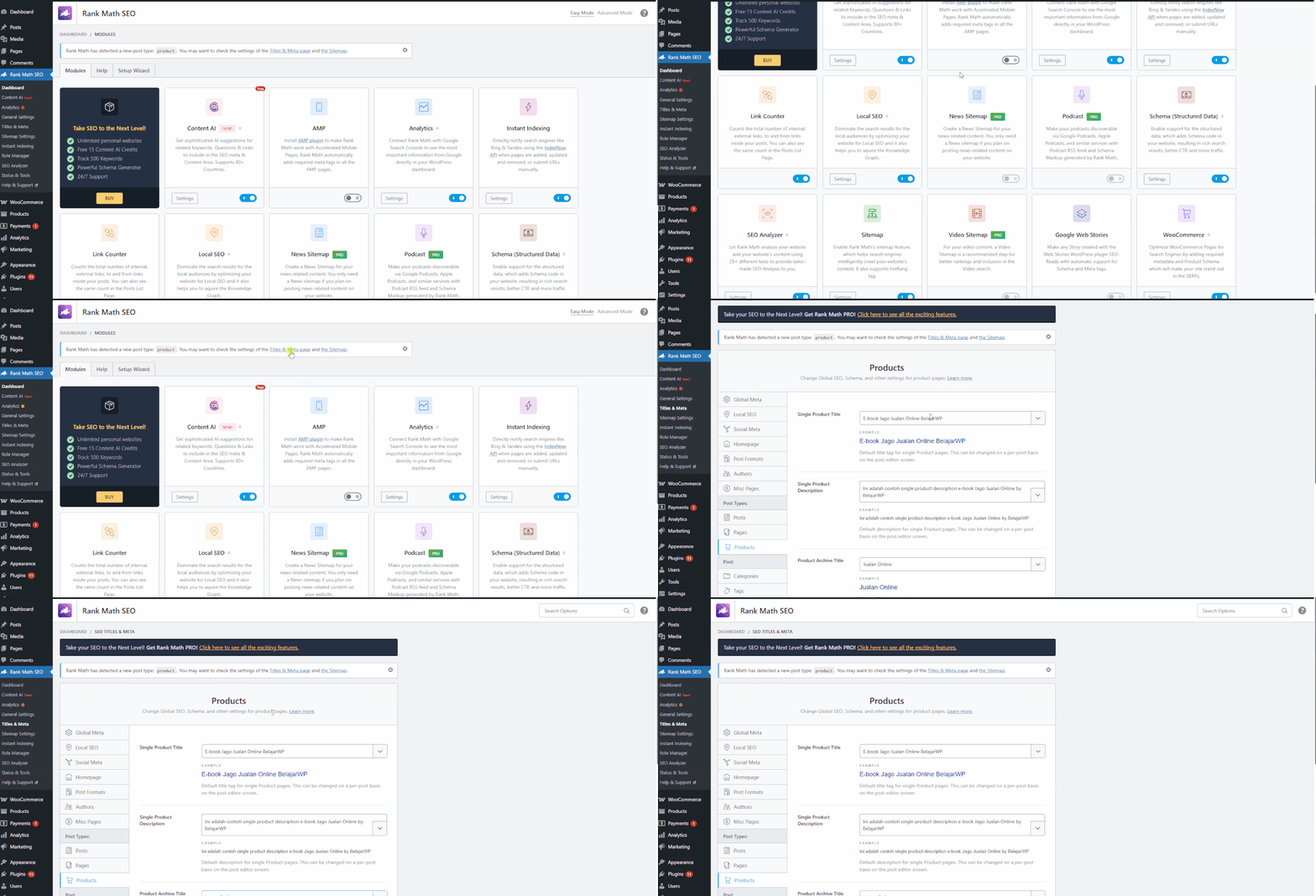
Cons:
- The Content AI feature needs improvement.
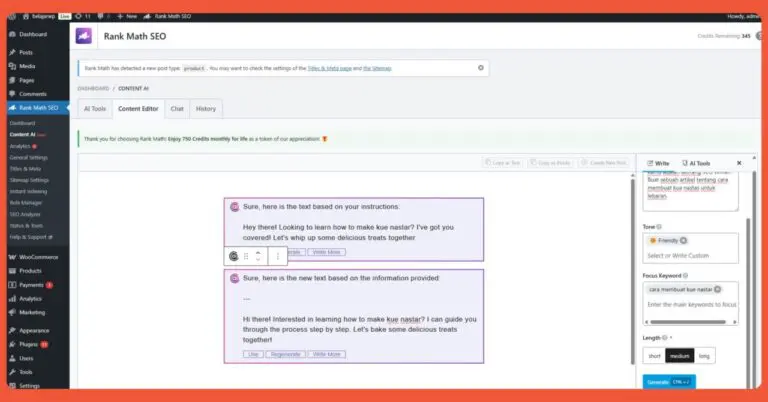
A weakness of Rank Math SEO’s Content AI is the lack of language options in the AI content editor.
3. All In One SEO (AIOSEO)
All in One SEO is a plugin with a simple interface, making it ideal for SEO beginners thanks to its minimal technical setup. AIOSEO’s features include:
- SEO Analysis
- Automatic General Sitemap.
- Headline Analyzer
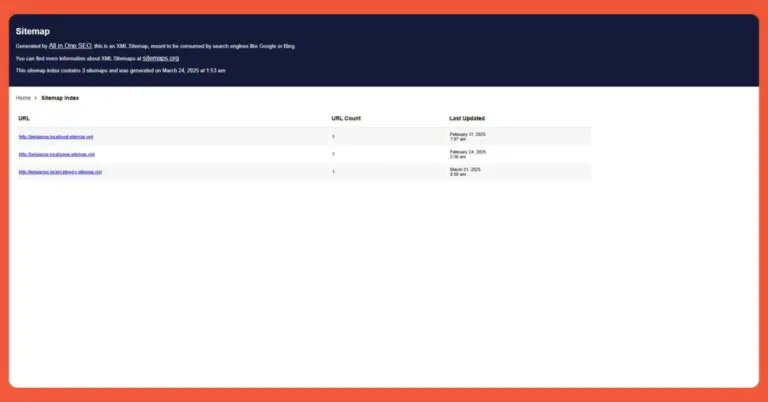
One of All in One SEO’s standout features is its automatic sitemap creation.
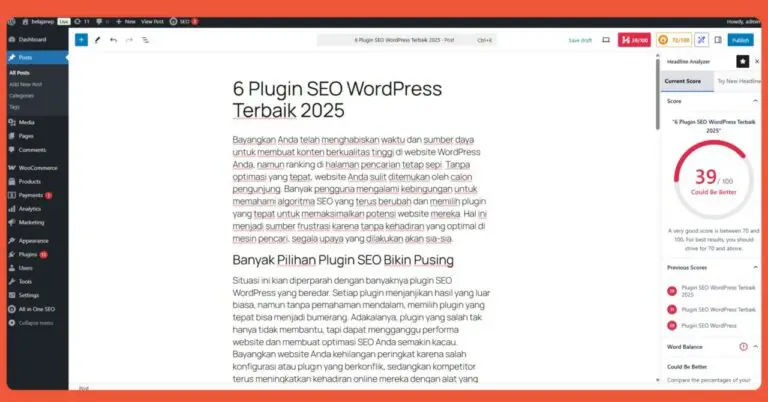
You no longer have to worry about choosing a headline, thanks to the AIOSEO Headline Analyzer.
Pros:
- Offers a competitor analysis feature in its free version, which is a rare find. You just need to link your AIOSEO account to your website.
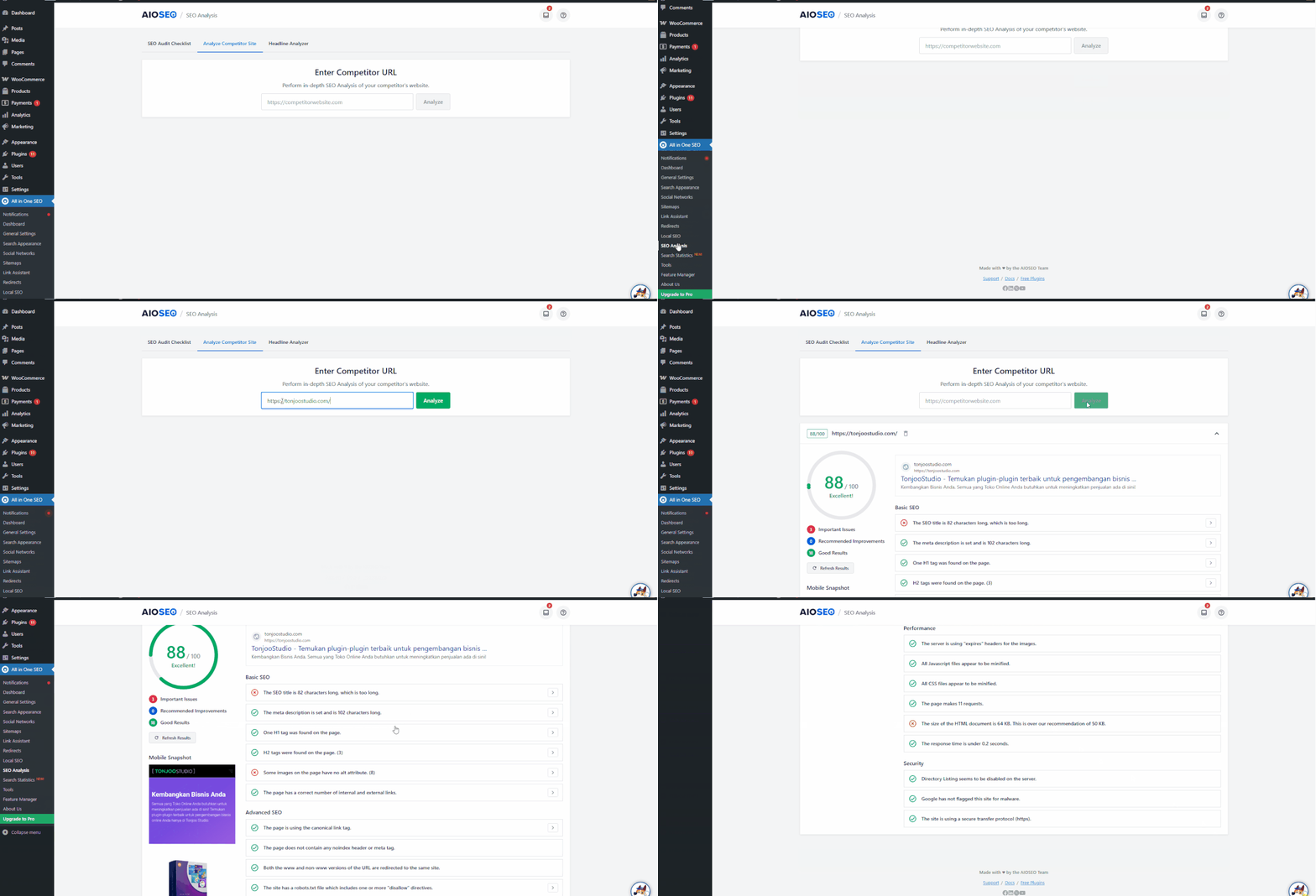
Something rarely available in the free version of an SEO plugin, but available in AIOSEO, is competitor analysis.
Cons:
- Some advanced features, like schema markup, are only available in the premium version.

A drawback of the AIOSEO plugin is that it does not provide schema markup in its free version.
4. SEOPress
SEOPress is a rising star among freemium SEO plugins, known for its easy setup and comprehensive basic features. Here are some SEOPress features to consider:
- Multiple sitemap categories (post, page, product, media).
- Automatic XML sitemap creation.
- Instant indexing.

SEOPress’s automatic HTML sitemap feature makes it easy to get your website indexed by search engines.
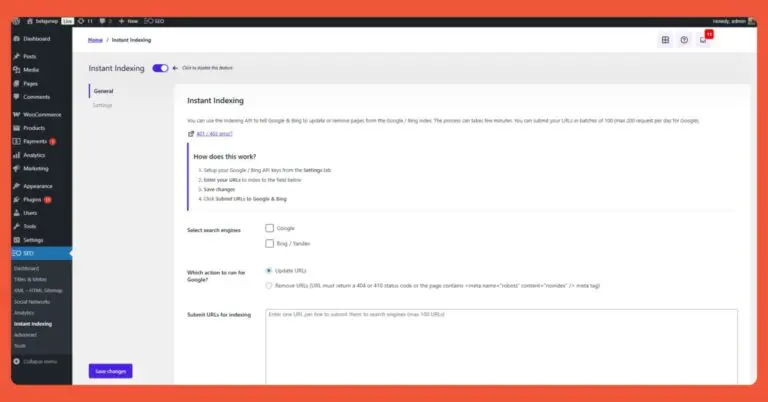
A very convenient feature for users, you no longer need to perform indexing manually.
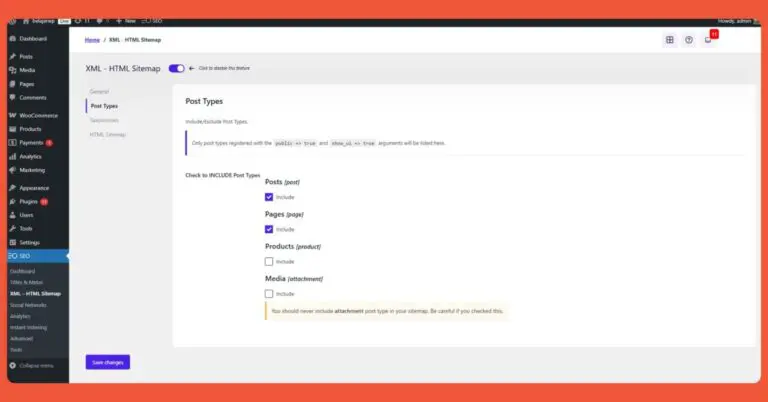
You can configure which posts to include in the sitemap.
Pros:
- The main advantage of SEOPress is that its free version is sufficient for most users. You can use features like Title & Metas, XML & HTML Sitemaps, and Instant Indexing for free.

The free version of the SEOPress plugin is very powerful for basic use.
Cons:
- The free version lacks Google Search Console integration, a function that is readily available in the free versions of other SEO plugins.
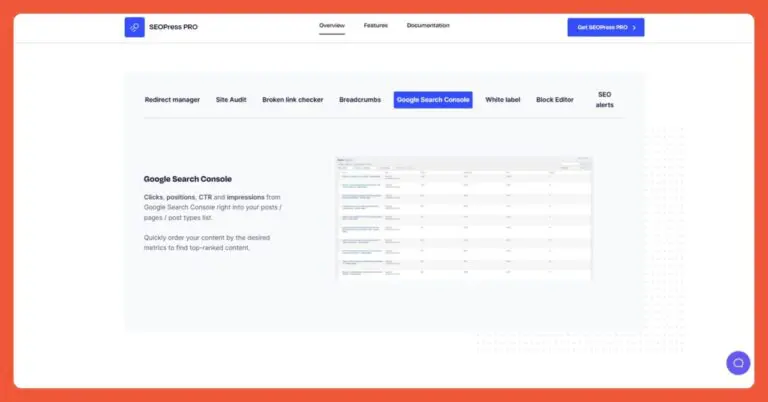
A drawback of SEOPress Free is the absence of GSC integration.
5. The SEO Framework
Next is The SEO Framework, a freemium SEO plugin that stands out from others on this list. Besides being accessible from the WordPress dashboard, The SEO Framework can also be accessed via a Google Chrome extension.
Here are some of The SEO Framework’s key features:
- Title and meta description optimization.
- Minimalist SEO settings.
- Available as a Chrome extension.
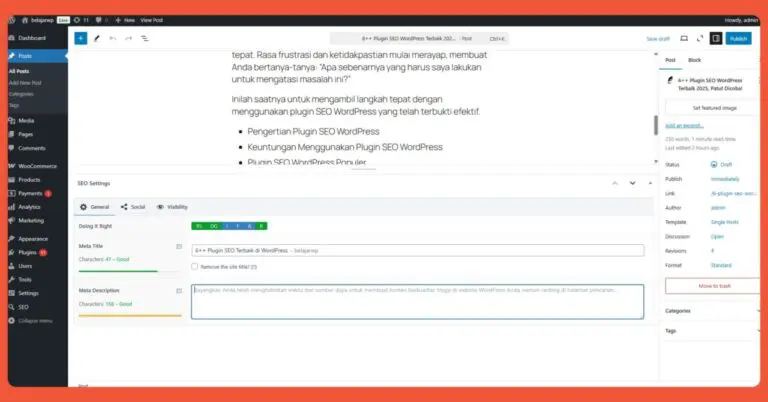
The SEO Framework’s title and meta description optimization is very minimalist.
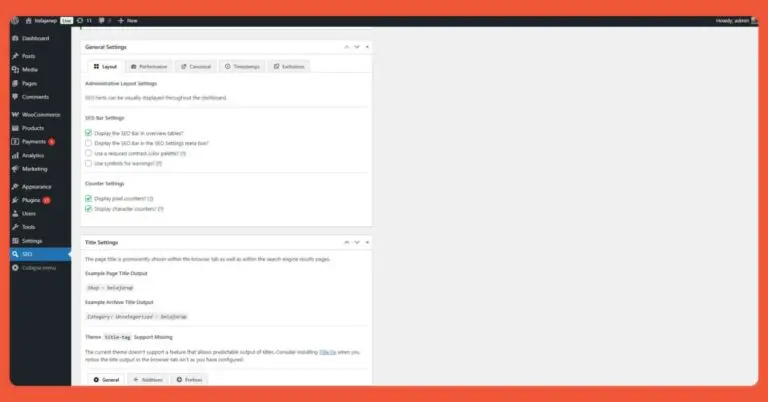
The SEO settings in The SEO Framework plugin are highly minimalist.
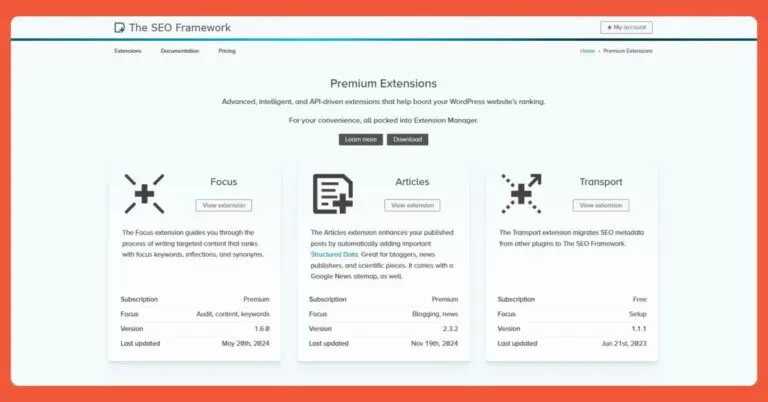
One of the few plugins that has a Chrome extension.
Pros:
- The main advantage of The SEO Framework is that it is ad-free and lightweight.
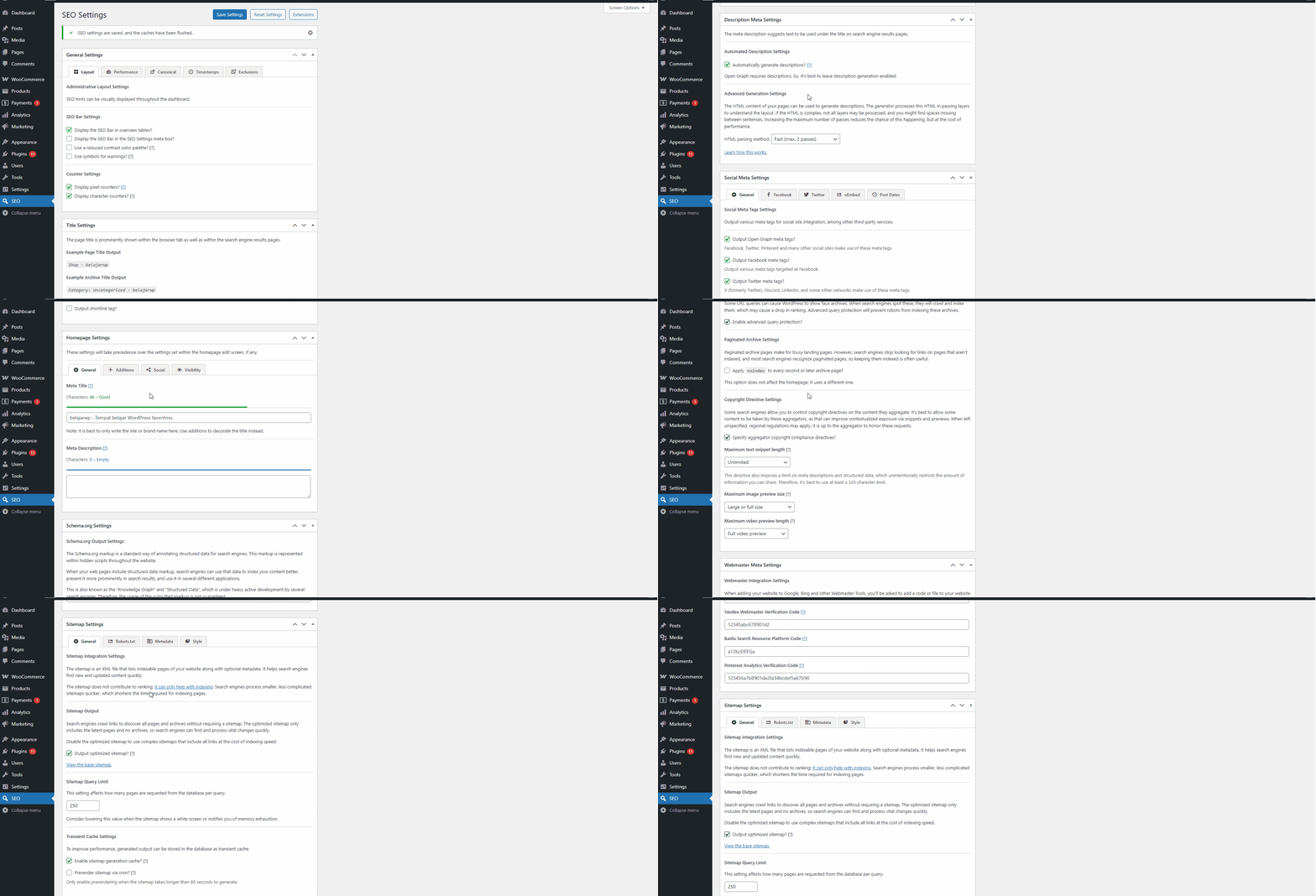
The advantages of The SEO Framework plugin: lightweight and ad-free.
Cons:
A drawback of The SEO Framework is the limited features in its free version. To access more advanced features, users must pay extra.
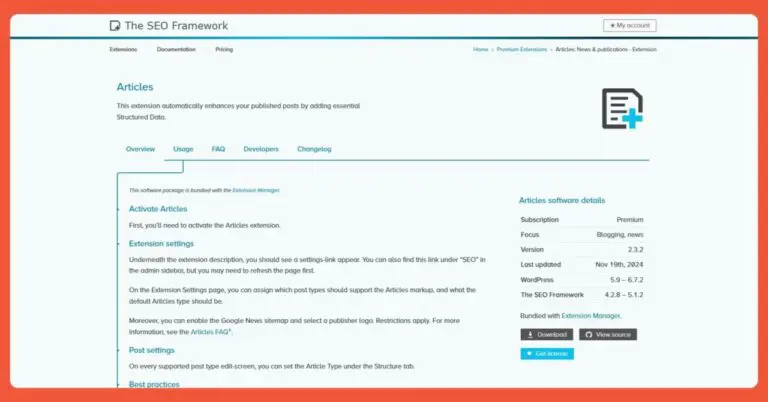
One of the drawbacks of The SEO Framework is the limitation of features that should be available for free.
6. Squirrly SEO
Squirrly SEO is another WordPress SEO plugin that’s generating a lot of buzz. It has 100,000 active installations. One of Squirrly SEO’s strengths is its use of AI to assist with content optimization and understand search trends.
Here are Squirrly SEO’s standout features:
- AI-based SEO analysis.
- Keyword suggestions to guide content optimization.
- Settings to define ‘focus pages.’
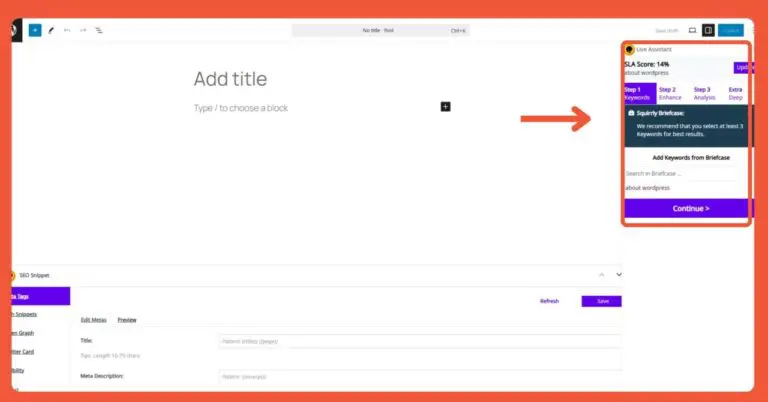
Squirrly SEO features AI-based SEO analysis for content optimization, indicated by the red arrow.
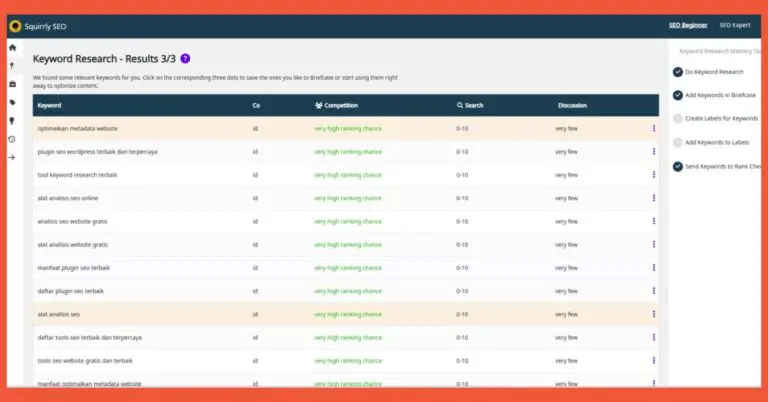
Keyword suggestions for content optimization.
Pros:
For beginners, Squirrly SEO is a very easy-to-use plugin thanks to its AI and live assistant.

The presence of AI makes the Squirrly SEO plugin much easier to use.
Cons:
The drawback of Squirrly SEO is that its vast number of features can be overwhelming for new users.
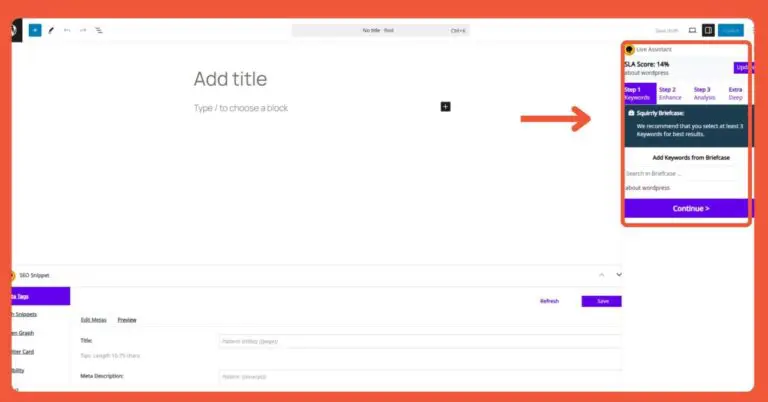
The many feature options can potentially confuse novice users.
Which is the Best WordPress SEO Plugin?
The primary function of a WordPress SEO plugin is to help your website get discovered by search engines. Ultimately, the choice of plugin comes down to your individual needs, which can vary.
a. SEO Plugins with WooCommerce Integration
SEO plays a crucial role in the business world. Proper SEO optimization can significantly increase sales for an online store. Therefore, it’s essential to choose an SEO plugin that integrates well with e-commerce platforms like WooCommerce.
WordPress SEO plugins that integrate with WooCommerce include Yoast, Rank Math, AIOSEO, and SEOPress, each with different setup requirements.
For example, with the free version of Yoast SEO, you can configure the search appearance settings so your products appear on search results pages. You can adjust this in the menu under “Content types,” then “Products,” “Categories & tags” (brand, product categories, product shipping classes, and product tags).

Yoast’s integration with WooCommerce. The setup is straightforward. Don’t forget to click “Save Changes” for every modification you make.
Rank Math works differently. When you install WooCommerce, Rank Math will detect a new post type: “product.” You’ll be prompted to check the settings in the “Titles & Meta” and “Sitemap” menus. In the “Titles & Meta” menu, you can enter the product title, product description, and even the Schema Type. Setting up the product sitemap is as simple as flipping a toggle switch.
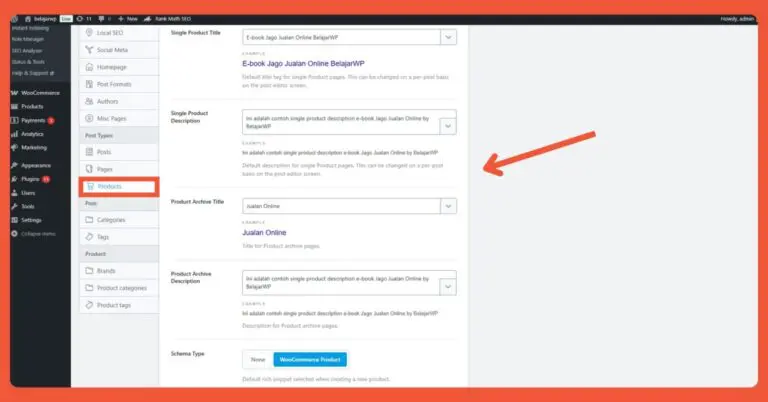
Rank Math SEO’s integration with WooCommerce. Above is an example of filling in product details.
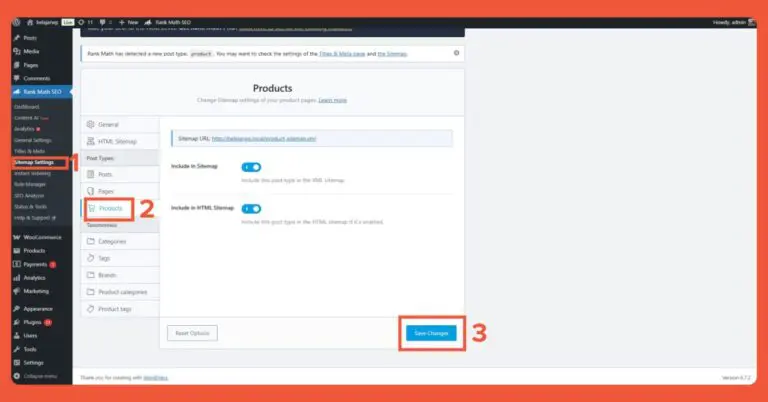
Rank Math sitemap integration. It’s as simple as sliding a toggle.
As for All in One SEO and SEOPress, their WooCommerce integration is limited to ensuring products are visible to search engines. For advanced settings like configuring schema, sitemaps, and other advanced features, you’ll need the paid versions.
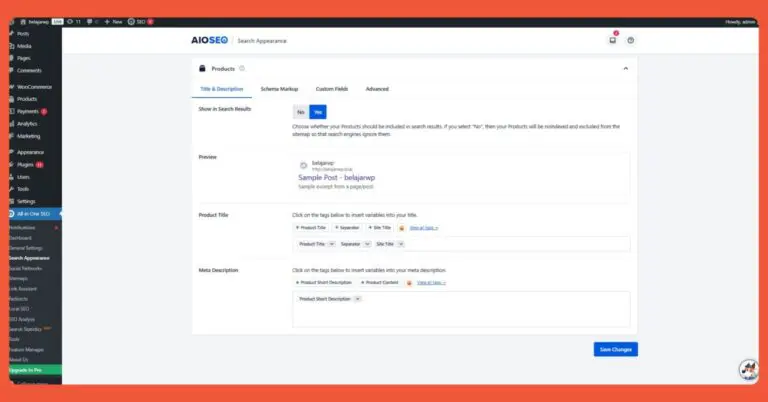
AIOSEO’s integration with WooCommerce. This setting aims to make your products visible in search engines.
b. The Best Free SEO Plugins
Almost all SEO plugins on the market today operate on a freemium model; none are completely free. However, this doesn’t mean the free versions are bad. Some free WordPress SEO plugins are incredibly powerful and feature-rich.
The best free SEO plugins to consider are Yoast and Rank Math. Both plugins offer a complete set of basic settings in their free plans.
Rank Math, for instance, provides many powerful features in its free version, such as AI-assisted content optimization, instant indexing, a role manager setting, and WooCommerce integration. In comparison, Yoast’s free features are not as comprehensive as what Rank Math offers.
Other plugins, like All in One SEO, SEOPress, The SEO Framework, and Squirrly, offer very limited features in their free versions.
c. Underrated WordPress SEO Plugin: SmartCrawl
There are a plethora of SEO plugins available today. We are all familiar with popular ones like Rank Math SEO, Yoast SEO, and AIOSEO.
However, there are also plugins that are less known by name but offer more than enough features to optimize your website. One underrated plugin that is worth trying is SmartCrawl.
This plugin “only” has about 20,000 active installations. Despite this, its basic features are more than sufficient to meet your needs for a good SEO plugin.
SmartCrawl’s basic features include:
- SEO Audit.
- Automatic sitemap creation.
- Preset Configurations.
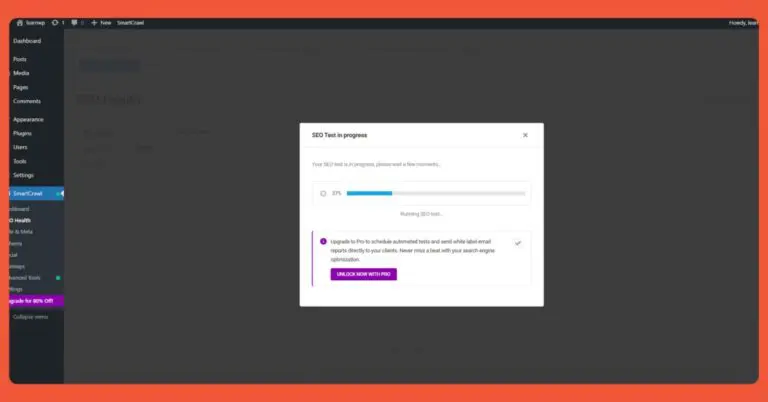
SmartCrawl’s SEO test. However, to get the report, you must upgrade to the pro plan.

SmartCrawl config. You can use the default configuration.
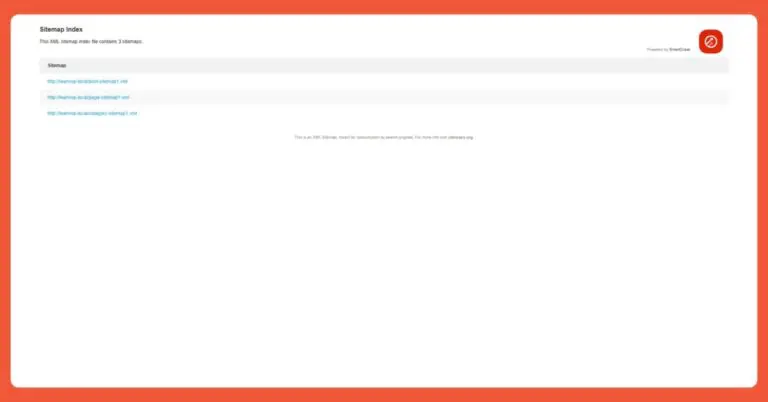
Automatic sitemap index creation. This simplifies indexing your website on search engines.
Pros:
- Sufficient basic features for website optimization. You can perform an SEO audit, create a sitemap, and even implement markup.
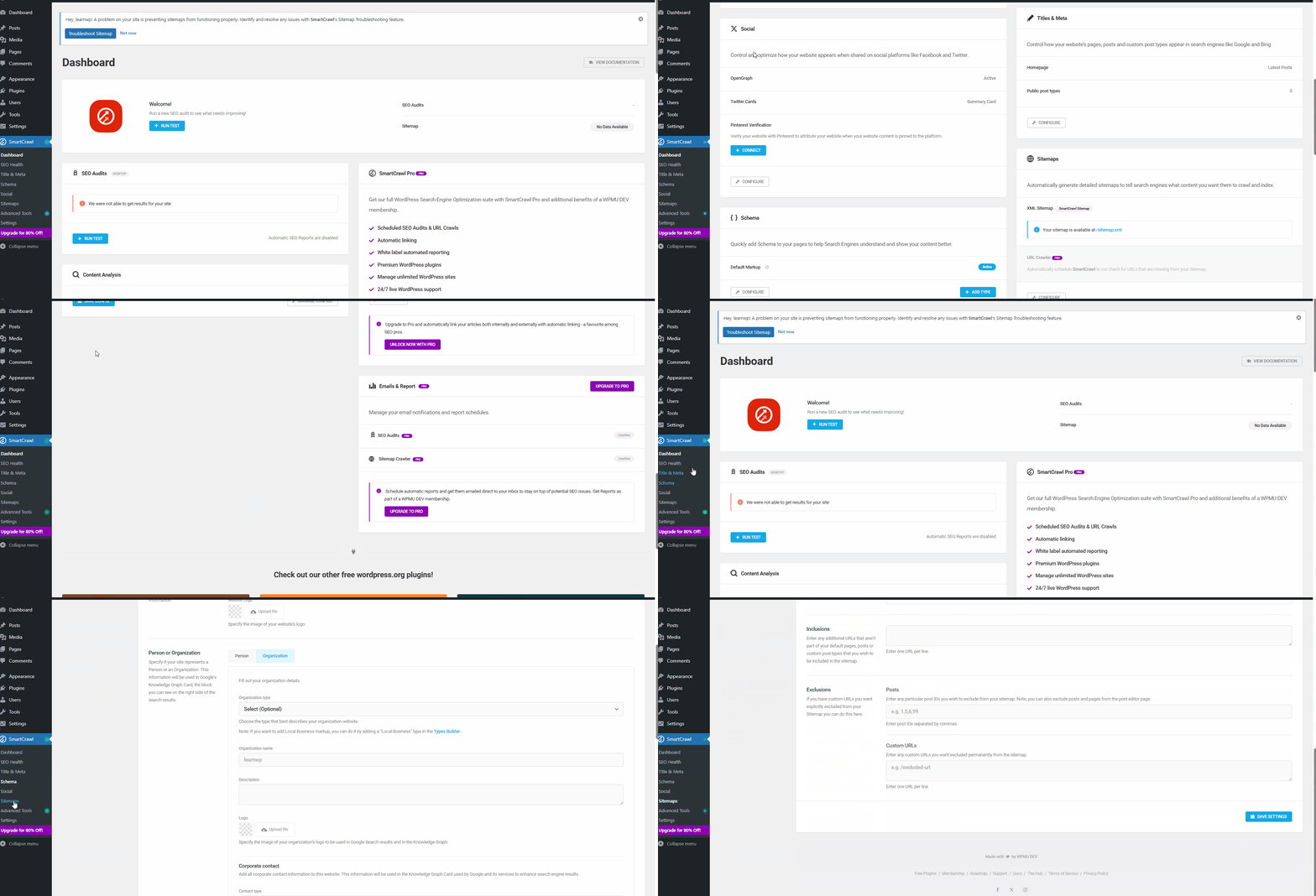
The advantages of the SmartCrawl plugin. Many free features are available for you to use.
Cons:
- To receive the SEO audit and sitemap crawling reports, you must upgrade to the pro version.
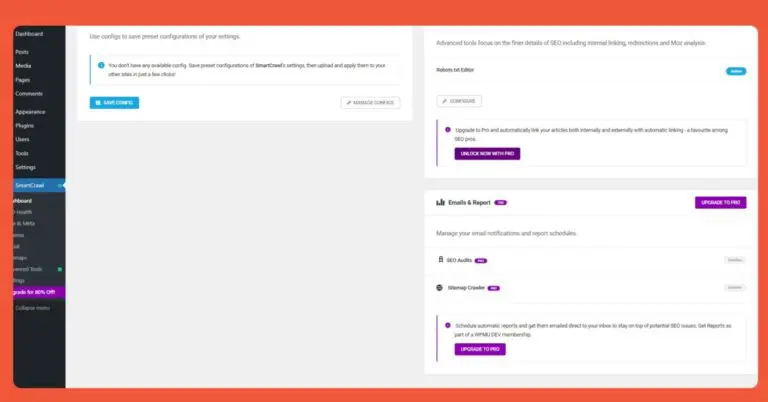
A drawback of the SmartCrawl plugin is the lack of a free version for SEO audit reports.
Comparison Table of the Best WordPress SEO Plugins
Here is a comparison table outlining the pros and cons of the best WordPress SEO plugins:
| Plugin | Pros | Cons | Price |
|---|---|---|---|
| Yoast SEO | Large community support | Very limited free features | Freemium |
| Rank Math | Complete features in free version | Initial configuration is quite complex | Freemium |
| All in One SEO | Simple interface | Content analysis is not deep enough | Freemium |
| SEOPress | Automatic titles and descriptions | Very limited free features | Freemium |
| The SEO Framework | Chrome extension available | Basic feature settings are very rigid | Freemium |
| Squirrly SEO | Can set focus pages | Very complex initial setup | Freemium |
So there you have it, our recommendations for the best WordPress SEO plugins. Keep in mind that SEO needs can vary significantly from one website to another.
For those who prefer a hassle-free approach to developing and optimizing a website, Tonjoo offers SEO-friendly website development services. With over 10 years of industry experience, we are ready to build the website of your dreams.

Read similar articles by Moch. Nasikhun Amin on the Tonjoo blog about WordPress, WooCommerce, plugins, and other web development topics.
Updated on January 20, 2026 by Moch. Nasikhun Amin