Home/ E-Office
E-OFFICE · DIGITAL ADMINISTRATION PLATFORM

Manage Letters, Dispositions, & Archives More Efficiently

Manage incoming letters and archives through hierarchical letter dispositions and electronic signatures. Verify document authenticity by scanning a QR code, with no login required.

Product
E-Office
Category
Digital Office System & Electronic Signatures
Ideal Users
Government Institutions, SEOs, and Organizations
INTEGRATION
SSO/OIDC and SMTP/Email
ABOUT E-OFFICE

Modernize Administrative Processes with E-Office

Well-organized administrative processes make it easier for organizations to track every letter, disposition, and approval.

However, when letters pile up, disposition instructions are handled across multiple messaging groups, and signatures still require manual handling, administrative work can become inefficient.

E-Office brings letter management, hierarchical letter dispositions, electronic signatures, & digital archiving together in a system.

MAIN BENEFITS

Practical Solutions for More Structured Office Administration

Manage incoming and outgoing letters, dispositions, electronic signatures, and archives in one system to simplify monitoring and keep administrative processes organized.

01

Keep Every Letter Gets Timely Follow-Up

Forward letters through hierarchical workflows with clear instructions and deadlines. Monitor follow-up reports and track disposition histories in one system.


02

Sign Documents Electronically

Use document templates, manage multi-level approval workflows, and sign documents in PAdES B-LTA format without printing them.

03

Track Incoming Letter Status

Upload and categorize incoming letters, automatically generate agenda numbers, and monitor their processing status through to completion.

04

Prevent Duplicate Outgoing Letter Numbers

Record outgoing letters, automatically generate reference numbers to prevent duplication, and store delivery records for easy tracking.

05

Searchable and Verifiable Digital Archives

Set archive retention schedules, search documents by their content, and verify document authenticity using QR codes without logging in. Revoke documents whenever necessary.

06

Centralized Administration with Access Control and Auditing

Manage shared master data, assign role-based access permissions, and send notifications. Audit trails make it easier to track changes across the system.

FEATURE DETAILS

A Full-Featured E-Office for Professional Administration

Manage your organization's administrative processes more efficiently and systematically. Simplify letter management, speed up approval workflows, organize digital archives, and manage access controls in one integrated system.

Incoming Letters

  • Record letter details, agenda number, sender, subject, and attachments.
  • Generate agenda numbers automatically.
  • Categorize letters by type and confidentiality level.
  • Monitor follow-up status through the inbox.

Hierarchical Letter Disposition

  • Add instructions and deadlines to each disposition.
  • Forward dispositions through hierarchical workflows.
  • Allow recipients to follow up on instructions & report their actions.
  • Track disposition history through a tree view.

Outgoing Letters

  • Record recipient details, subject, and attachments.
  • Generate letter numbers automatically.
  • Record distribution details and track delivery status.
  • Store proof of delivery for documentation.

Document Numbering

  • Configure numbering formats using a combination of tags & text.
  • Choose automatic or manual numbering for each document.
  • Receive alerts when a number has already been used.
  • Reuse document numbers that have been canceled.
E-Office Showcase

Explore E-Office Workflows

Explore the system's interface and administrative workflows, from hierarchical letter disposition to outgoing letter management.
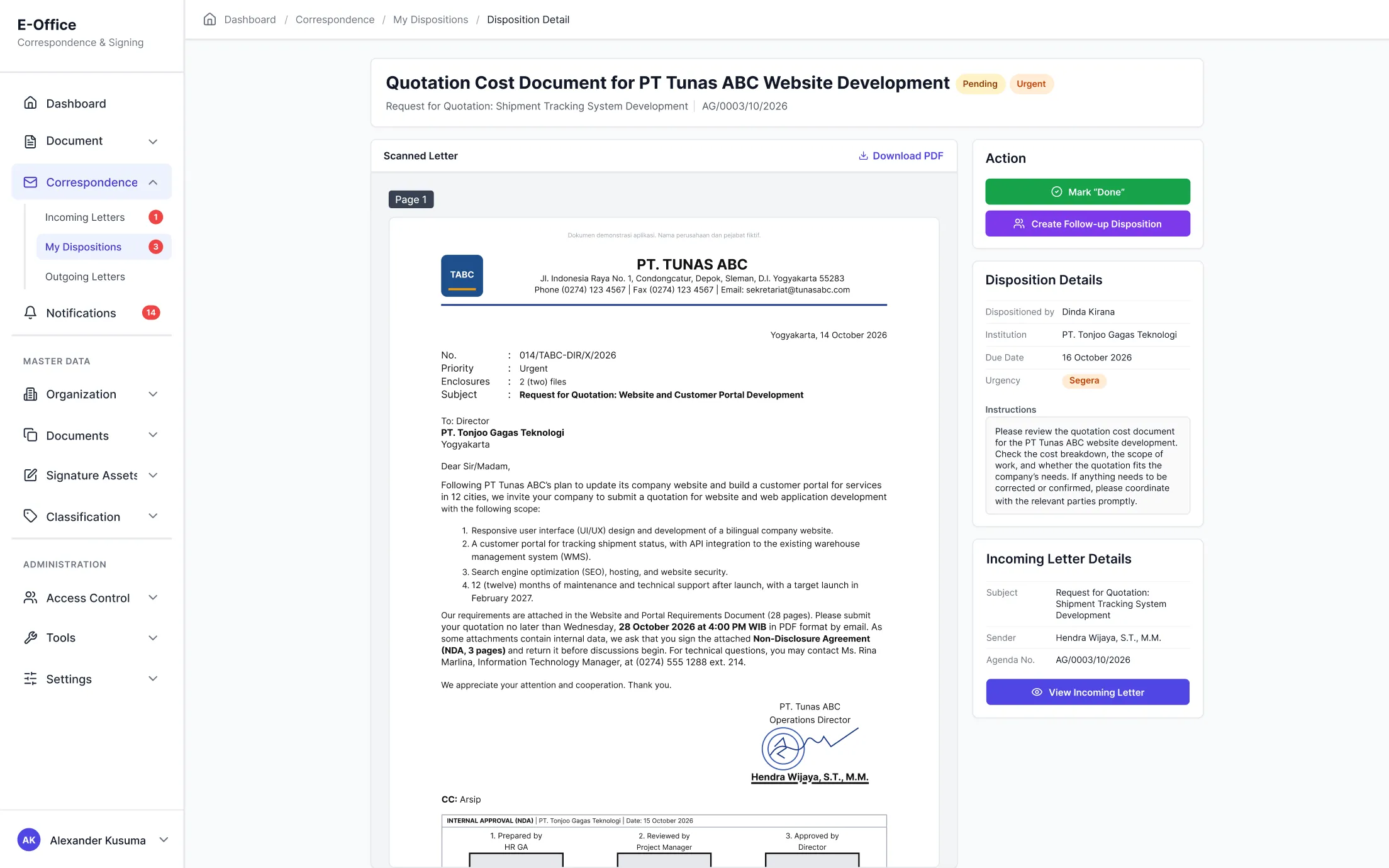
  • Hierarchical Disposition Workflow
    Track letters from registration to completed follow-up
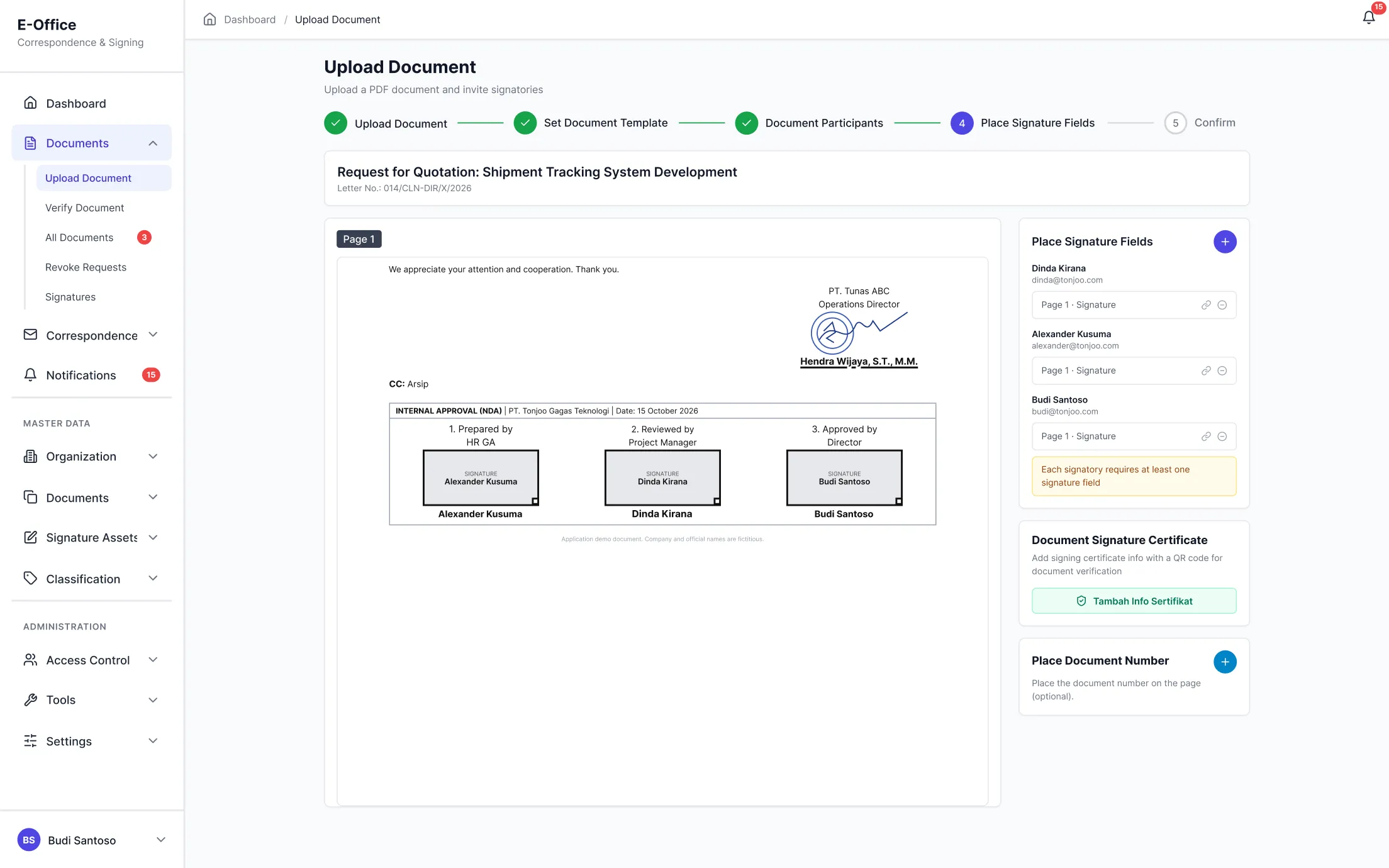
  • Signature Field Placement & Electronic Signatures
    Position signature fields and electronic signatures on PDF documents as required
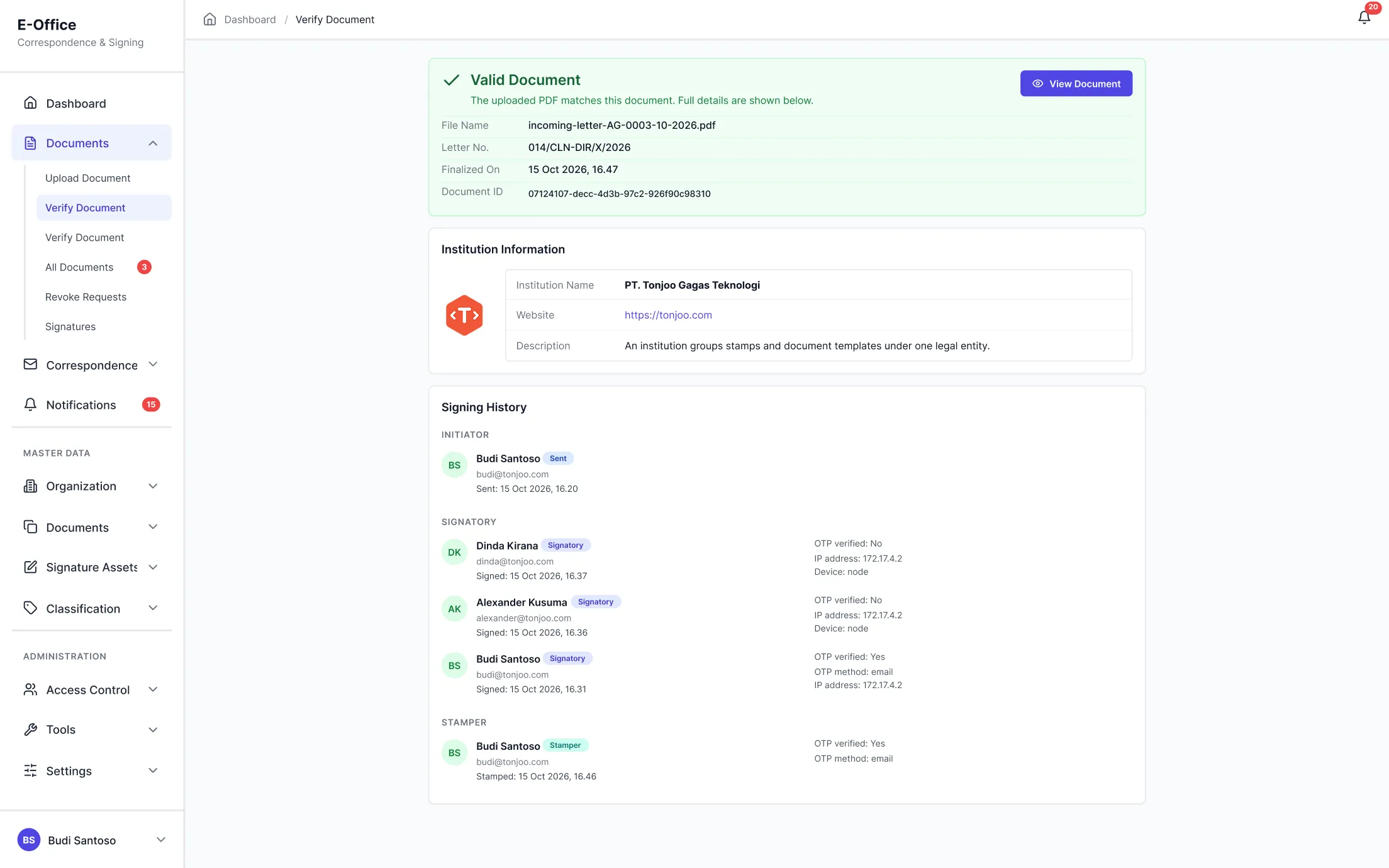
  • Public Verification Page
    Verify document authenticity using a QR code or by uploading a PDF file.
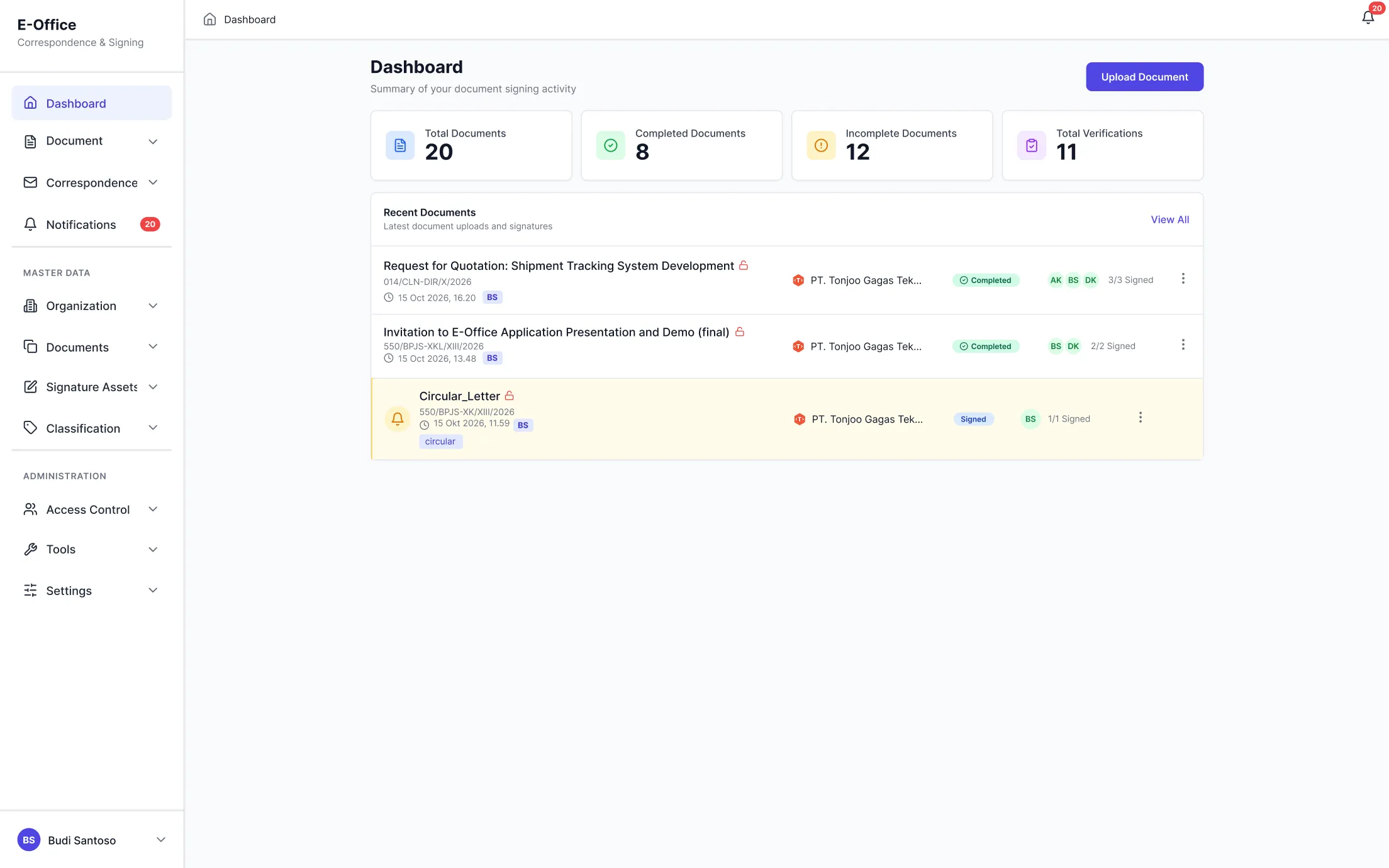
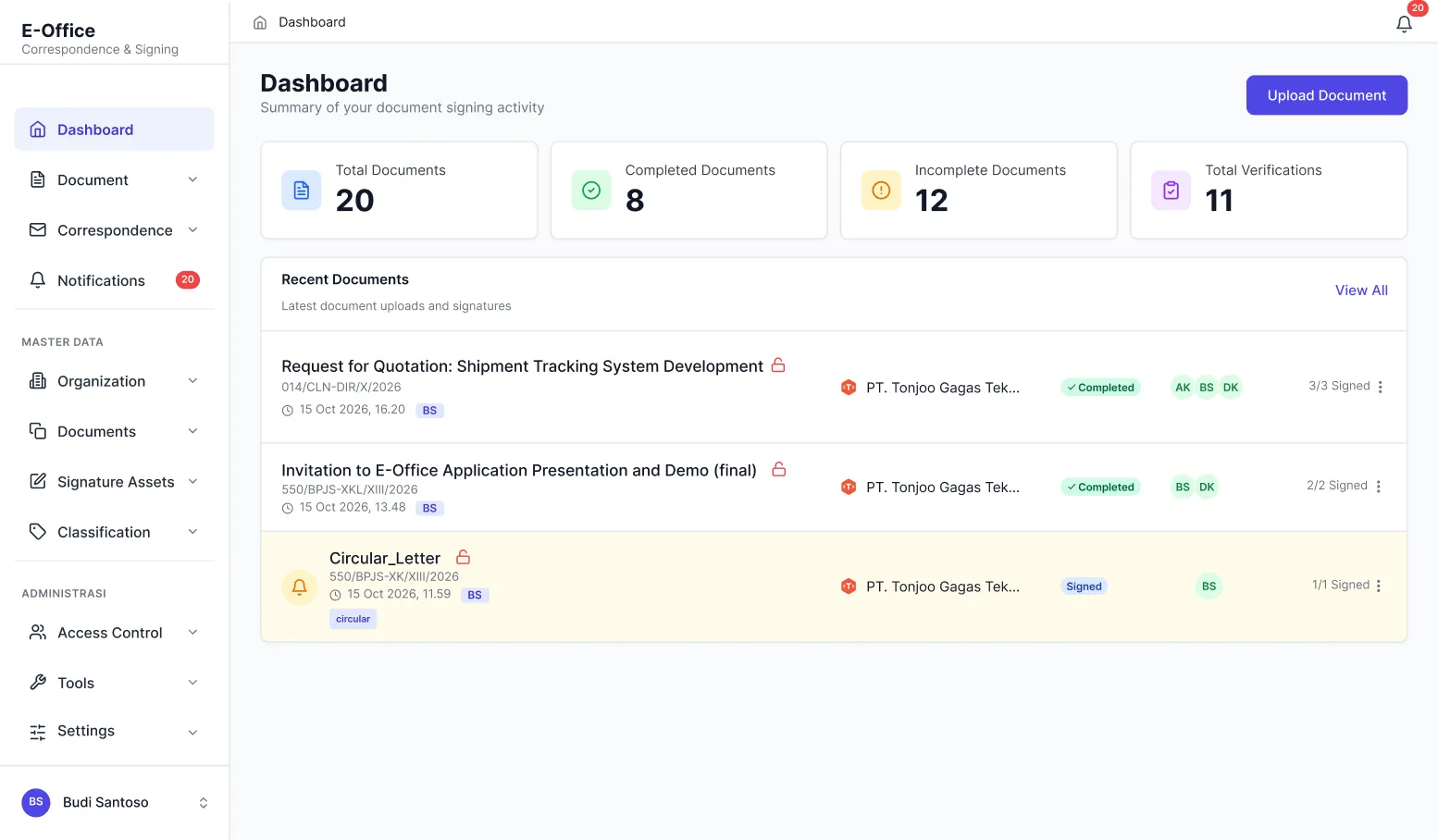
  • Activity Dashboard
    Monitpring documents from draft and pending signature to completion.
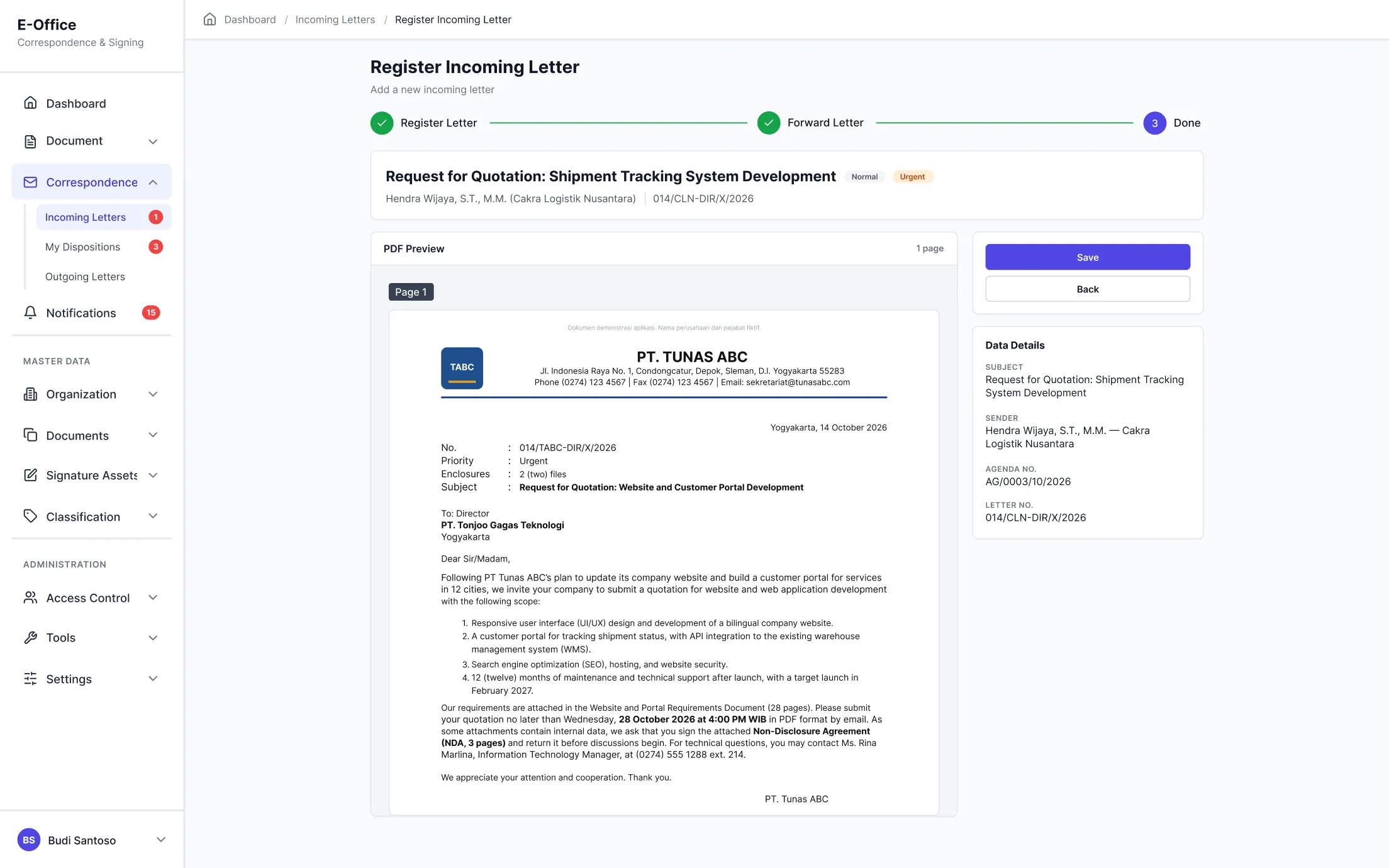
  • Incoming Letter Registration
    Register incoming letter, auto-generated agenda numbers, & track its status.
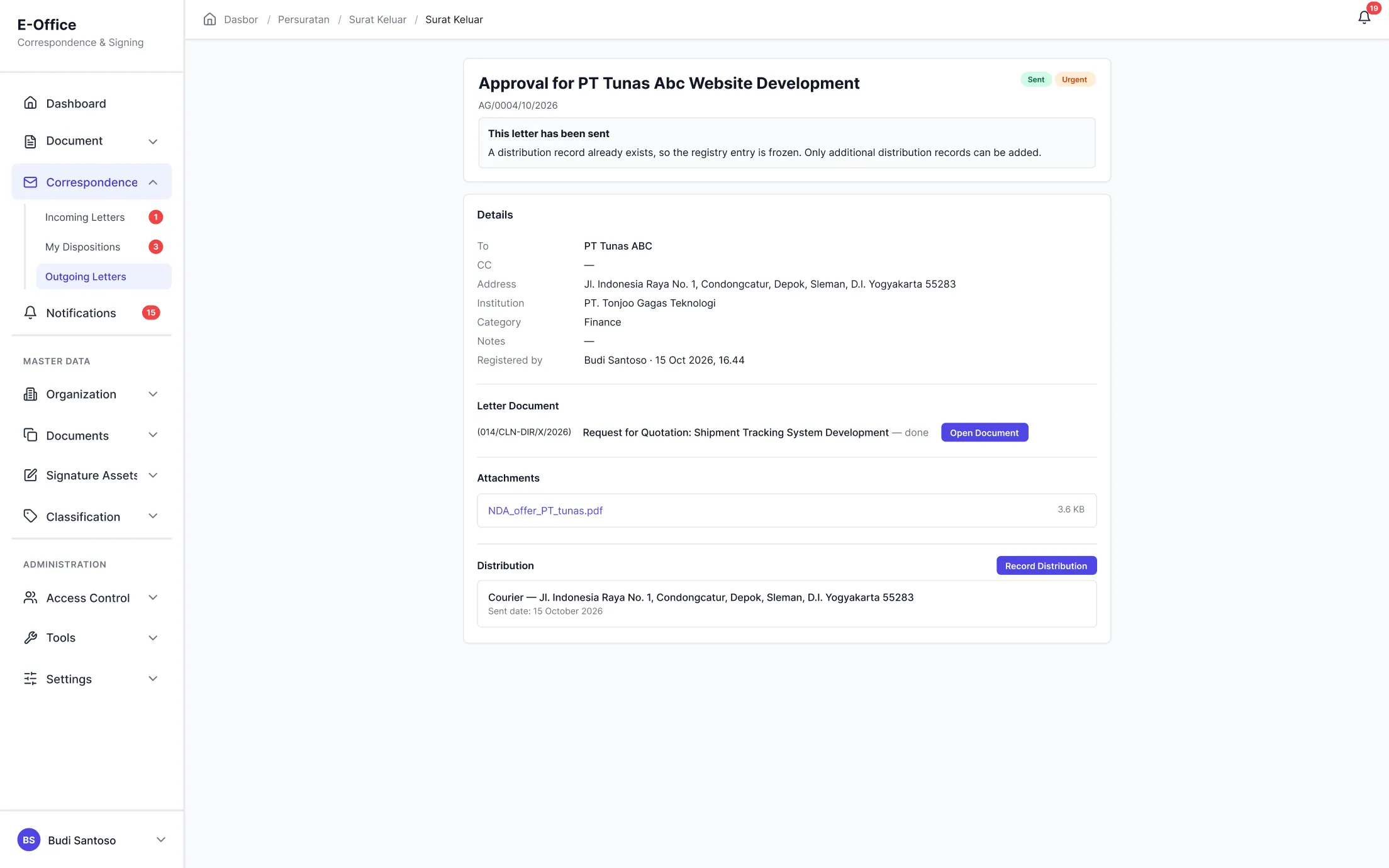
  • Outgoing Letter Record
    Recording outgoing letters, auto-numbering, & monitor delivery status.
  • Hierarchical Disposition Workflow
    Perbesar
    The document layout can be customized to meet your organization's requirements.
    *The letter shown in the illustration uses fictional data.
  • Signature Field Placement & Electronic Signatures
    Perbesar
    The document layout can be customized to meet your organization's requirements.
    *The letter shown in the illustration uses fictional data.
  • Public Verification Page
    Perbesar
    The document layout can be customized to meet your organization's requirements.
    *The letter shown in the illustration uses fictional data.
  • Activity Dashboard
    Perbesar
    The document layout can be customized to meet your organization's requirements.
    *The letter shown in the illustration uses fictional data.
  • Incoming Letter Registration
    Perbesar
    The document layout can be customized to meet your organization's requirements.
    *The letter shown in the illustration uses fictional data.
  • Outgoing Letter Record
    Perbesar
    The document layout can be customized to meet your organization's requirements.
    *The letter shown in the illustration uses fictional data.
Contact Us

Discover How E-Office Works for Your Organization

Every organization has its own official letter procedures and approval workflows. We will demonstrate E-Office based on your organization's processes and requirements

View the demo of incoming letter management, dispositions, and electronic signatures based on your organization's workflows
Discuss potential E-Office integrations with the systems your organization already uses.
Assess the suitability of E-Office features and workflows for your organization before proceeding to the next step.

Want to learn more about E-Office and ready to discuss your requirements? Contact us at contact@tonjoo.com


    Looking for Additional Applications to Support Your Business Operations?
    Start with E-Office, add other applications as needed, and connect your systems through Identity Portal and Data Broker to create integrated workflows.
    • Employee Portal
    • LMS
    • Accounting
    • e-Procurement
    • GPT Tools