-
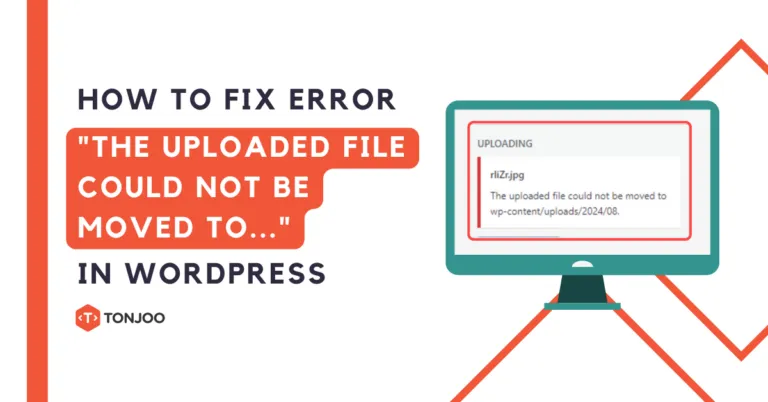
How to Fix “The uploaded file could not be moved to…” Error in WordPress on Localhost
Encountering the “The uploaded file could not be moved to…” error in WordPress when uploading a file on your localhost can seriously disrupt your workflow. For instance, you might try to upload an image, only […]- Moch. Nasikhun Amin
- August 28, 2025
-

5+ Best E-commerce CMS Platforms to Build Your Online Store
For business owners with a growth mindset like yours, relying solely on offline marketing is no longer enough. Building a robust online presence requires the best e-commerce CMS. By creating an SEO-friendly e-commerce website for […]- Moch. Nasikhun Amin
- August 26, 2025
-

8 Reasons Your Business Should Use WordPress to Build a Website
It’s natural to question why your business should use WordPress to build your company’s website, especially given its immense popularity. After all, WordPress is the most widely used Content Management System (CMS) in the world. […]- Moch. Nasikhun Amin
- August 25, 2025
-

How to Hide Apache Server Version (2 Ways: Windows & Linux)
When developing a website with the XAMPP web server, it’s important to hide Apache server version is a crucial security step for your web security. While XAMPP is not recommended for a live production server […]- Moch. Nasikhun Amin
- August 18, 2025
-

6 Common WordPress Myths and Misconceptions – Let’s Debunk!
Despite WordPress being the most widely used CMS in the world—powering a staggering 43% of all websites—many unfounded WordPress myths persist. As a software development agency that has produced countless websites on this platform, we […]- Moch. Nasikhun Amin
- August 17, 2025
-

How to Back Up WordPress in cPanel? (2 Plugin-Free Ways)
If you have installed a WordPress site and are planning to make significant changes or migrate to a new host, knowing how to back up WordPress website via cPanel is crucial for keeping your data […]- Moch. Nasikhun Amin
- August 10, 2025
-

How to Fix the Error Establishing a Database Connection in WordPress
Are you seeing the Error establishing a database connection message on your WordPress website? Don’t worry. This article provides a complete guide, explaining what this error means and, most importantly, how to fix it! This […]- Moch. Nasikhun Amin
- August 9, 2025
-

How to Disable PHP Functions: exec, passthru, and shell_exec in XAMPP
Beyond just disabling Apache directory listing, another crucial security step for your XAMPP web server is to disable PHP functions, which are exec, passthru, and shell_exec functions. In PHP, functions like exec, passthru, and shell_exec […]- Moch. Nasikhun Amin
- July 31, 2025
-
How to Use Git: A Beginner Guide & Its Basic Commands
Knowing how to use Git and understanding its basic commands allows you to ensure that every change to your project is well-documented. So, what preparations do you need to make before using Git? And what […]- Moch. Nasikhun Amin
- July 28, 2025
-

How to Fix a Missing WordPress .htaccess File? A Beginner’s Guide
Have you encountered an issue with a missing WordPress .htaccess file while building your website? The disappearance of this file can certainly cause problems, affecting both administrators and visitors. A missing .htaccess file can lead […]- Moch. Nasikhun Amin
- July 21, 2025