


When managing a WordPress website, you’ve likely encountered the ERR_TOO_MANY_REDIRECTS error message. This error effectively locks both you and your visitors out of your website. On Google Chrome, it appears as This page isn’t working, while Firefox shows The page isn’t redirecting properly.
If you encounter this, don’t panic. Although it sounds highly technical, this error is typically caused by a simple issue that can be fixed quickly.
This article will guide you step-by-step through what ERR_TOO_MANY_REDIRECTS is, its causes, and how to resolve it.
Table of Contents
What is ERR_TOO_MANY_REDIRECTS?
Imagine you’re trying to get from point A to point B, but upon arriving at point B, you’re told to go back to point A. You would be trapped in an endless loop. This is essentially what happens to a browser when it encounters an ERR_TOO_MANY_REDIRECTS.
Technically, a redirect is an instruction that tells a browser to go from one URL to another. This is a normal and common practice in the web world. However, when a misconfiguration occurs, the browser can get stuck in a redirect loop. For example, URL A points to URL B, but URL B points back to URL A.
After following this circle a few times, the browser will give up and display the ERR_TOO_MANY_REDIRECTS message to stop the infinite process.
Common Causes of ERR_TOO_MANY_REDIRECTS
In the WordPress ecosystem, the ERR_TOO_MANY_REDIRECTS error most often arises from problems with the following:
1. Incorrect WordPress URL
Settings WordPress has two URL setting fields: WordPress Address (URL) and Site Address (URL). If these two are inconsistent—for instance, one uses http:// while the other uses https://, or one includes www and the other doesn’t—it can cause a redirect loop.
2. Problematic Plugins
Plugins, especially those for SEO, caching, and redirects, can cause this error if they are misconfigured. Sometimes, a conflict between two plugins can be the trigger. Read our article on recommended SEO plugins to improve your website’s ranking.
3. Incorrect HTTPS/SSL
Settings This error frequently occurs after migrating a website to HTTPS. If the SSL certificate is not set up correctly on the server, a loop can happen between the HTTP and HTTPS versions. It can also be caused by incorrect SSL settings in third-party services like Cloudflare.
4. Incorrect Server Configuration
For those using an Apache web server, errors in your redirect settings can result in a redirect loop.
5. Outdated Cache
Sometimes, cache from your browser, a plugin, or your server might be storing old, invalid redirect settings, which can trigger the error.
How to Fix the ERR_TOO_MANY_REDIRECTS Error
There are several methods you can use to fix the ERR_TOO_MANY_REDIRECTS error. These steps can be performed through your WordPress dashboard.
Important: Before you begin troubleshooting the ERR_TOO_MANY_REDIRECTS error, it is highly recommended that you back up your WordPress website.
Here’s how to fix the ERR_TOO_MANY_REDIRECTS error:
Step 1: Clear Browser Cookies and Cache
Sometimes the problem isn’t with your website, but with your browser storing incorrect redirect information. This is the easiest step to try first. Here’s how to do it:
- Open your browser’s settings.
- Look for the option to clear browsing data.
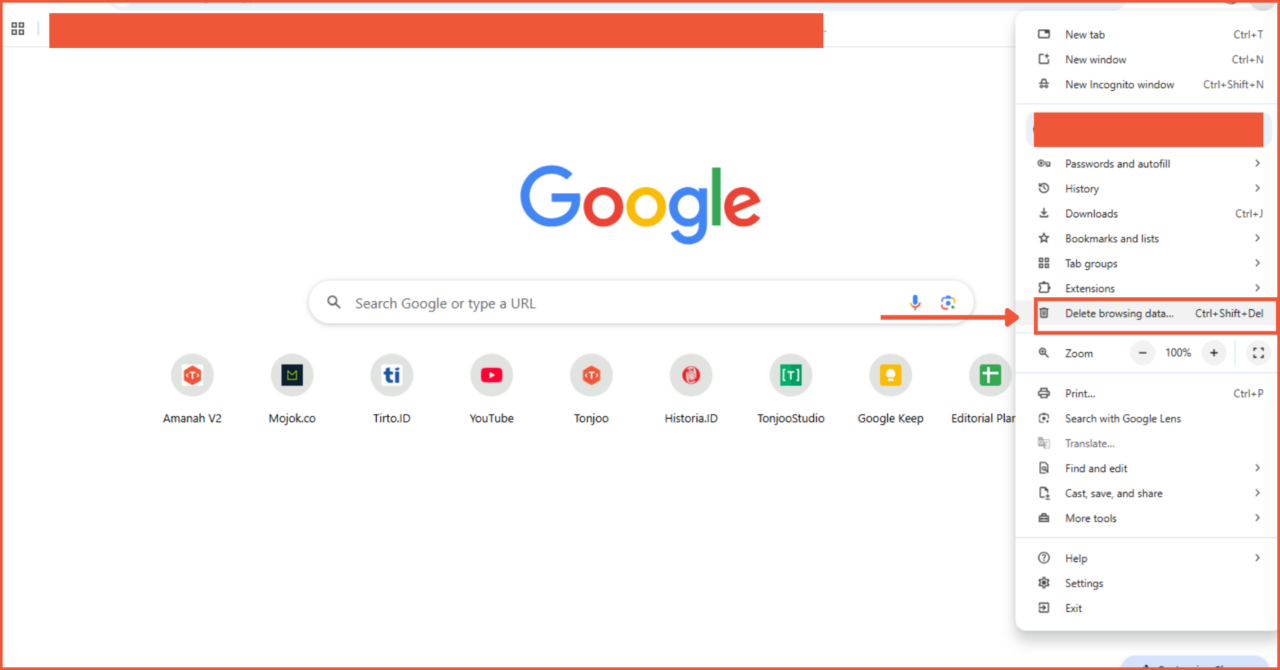
- Check the boxes for cookies and cached images and files.
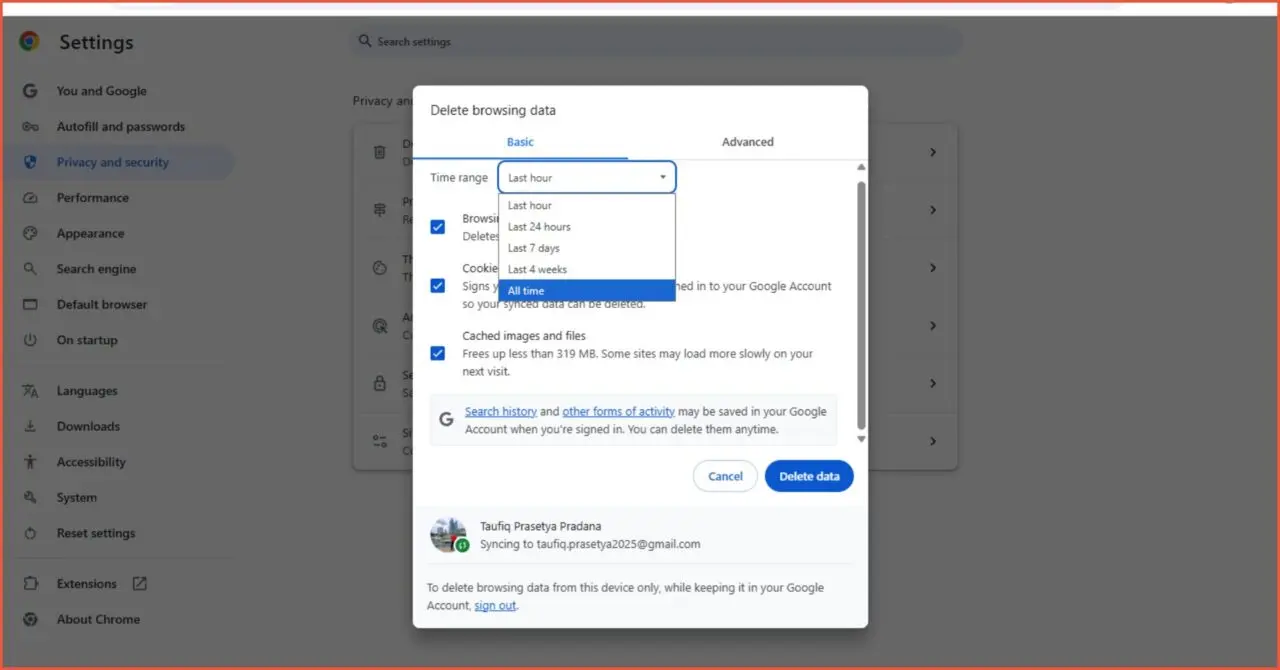
- After clearing them, try accessing your website again.
Step 2: Check and Correct WordPress URL Settings
This is the most common cause. You need to ensure that your WordPress Address (URL) and Site Address (URL) are consistent. You can do this via the dashboard. Here’s how:
- Log in to your WordPress dashboard.
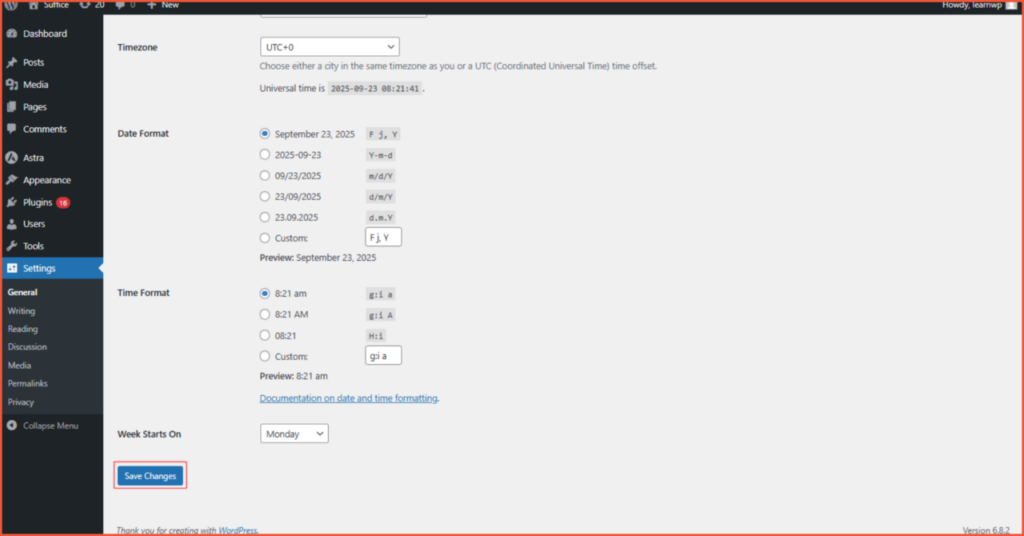
- Go to Settings > General.
- Check the two URL fields: WordPress Address (URL) and Site Address (URL). Make sure they are identical. Pay close attention to http vs. https and the use of www vs. non-www. Set them both to your desired format. We recommend using https:// and a consistent format with or without www.
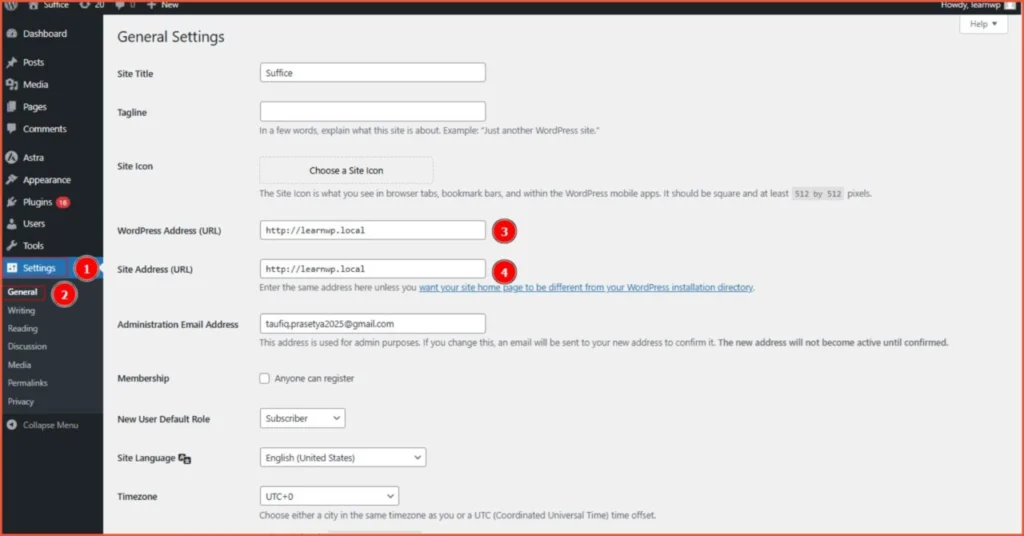
- Click Save Changes.
Step 3: Deactivate Plugins
If the error persists, a WordPress plugin might be the cause. You can try deactivating plugins one by one to find the culprit. A plugin might be trying to implement its own redirects, resulting in the ERR_TOO_MANY_REDIRECTS message. Here are the steps:
- Access your website’s files via a File Manager.
- Navigate to the wp-content directory.
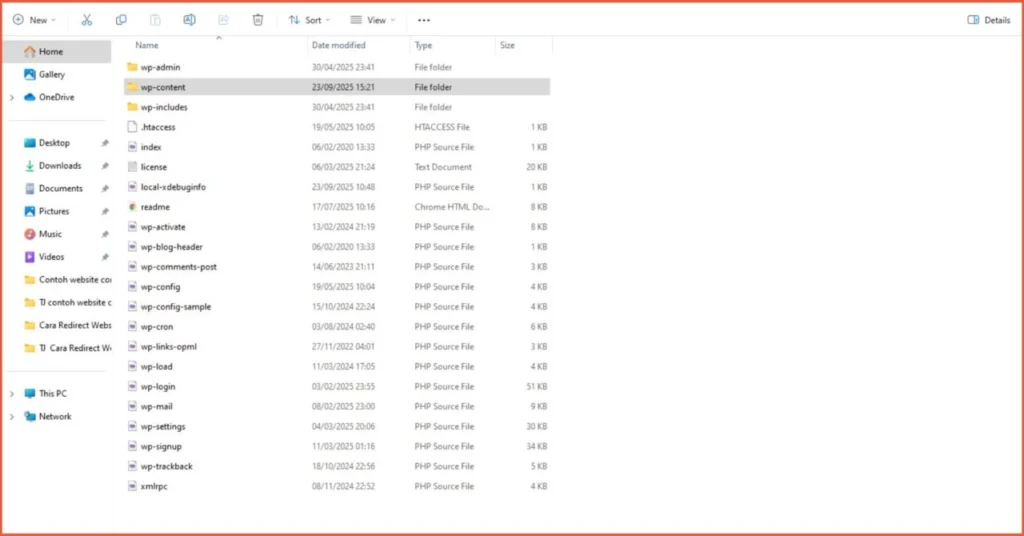
- Find the plugins folder.
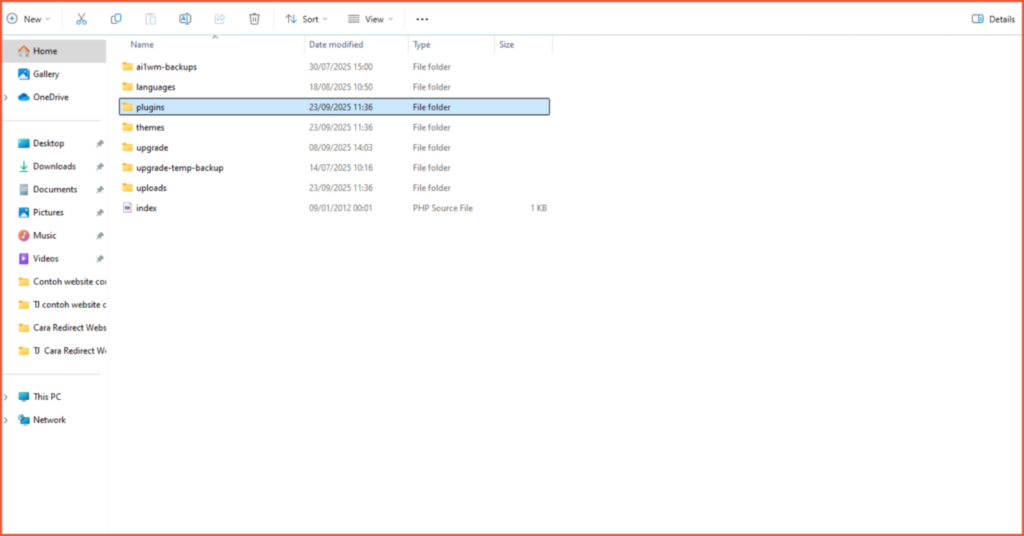
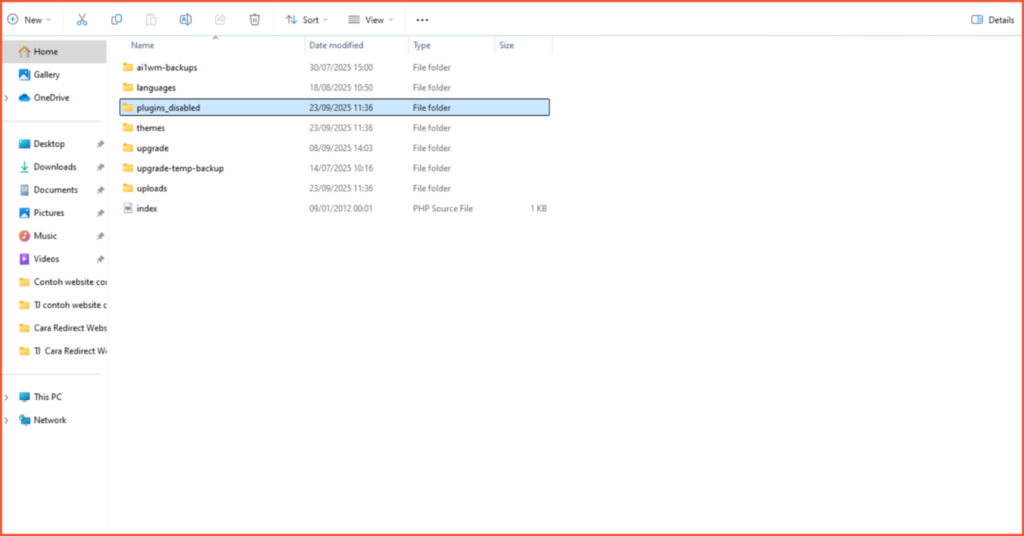
- Rename the folder to something else, for example, plugins_disabled. This action will automatically deactivate all plugins on your site. Then, try accessing your website again.
Step 4: Reset Your .htaccess File
If the previous steps haven’t solved the issue, the problem might be with the redirect settings on your server. To check this, you’ll need to access your .htaccess file, rename it, and create a new one. If the file is missing, please read our article on how to fix a missing .htaccess file.
Successfully Fixed the ERR_TOO_MANY_REDIRECTS Error?
That’s how you can resolve the ERR_TOO_MANY_REDIRECTS error. This is a situation that can happen on any website, especially for WordPress users. The causes can vary, from incorrect URL settings to outdated cache.
There are many technical aspects to managing a website. To ensure your website not only looks professional but is also fast, secure, and optimized for search engines, you need a reliable developer. Trust Tonjoo.
We provide professional website maintenance services. Hundreds of clients like Gadjah Mada University, Polygon Bikes, and many others can attest to our quality. We are ready to create a functional and sophisticated website tailored to your specific needs.

Read similar articles by Moch. Nasikhun Amin on the Tonjoo blog about WordPress, WooCommerce, plugins, and other web development topics.
Updated on December 17, 2025 by Moch. Nasikhun Amin
