


Vehicle purchases don’t always start in a showroom. Many customers now prefer to search online, compare vehicle specifications, review pricing and offers, and find dealership locations before visiting in person.
This makes a website an important part of an automotive business’s marketing and customer service operations. Beyond presenting company information, a website should provide features to help customers find the right vehicle, contact customer service, and book vehicle maintenance services.
With these requirements in mind, here are several essential automotive dealership and sales website features that businesses can implement and further develop.
Table of Contents
Essential Features of an Automotive Dealership and Sales Website
Vehicle information is one of the main things prospective customers look for when visiting an automotive dealership website. A website should therefore include features that make it easier for visitors to explore available products and find information about the vehicle services they need.
Here are some recommended features for an automotive dealership and sales website.
1. Vehicle Catalog and Details
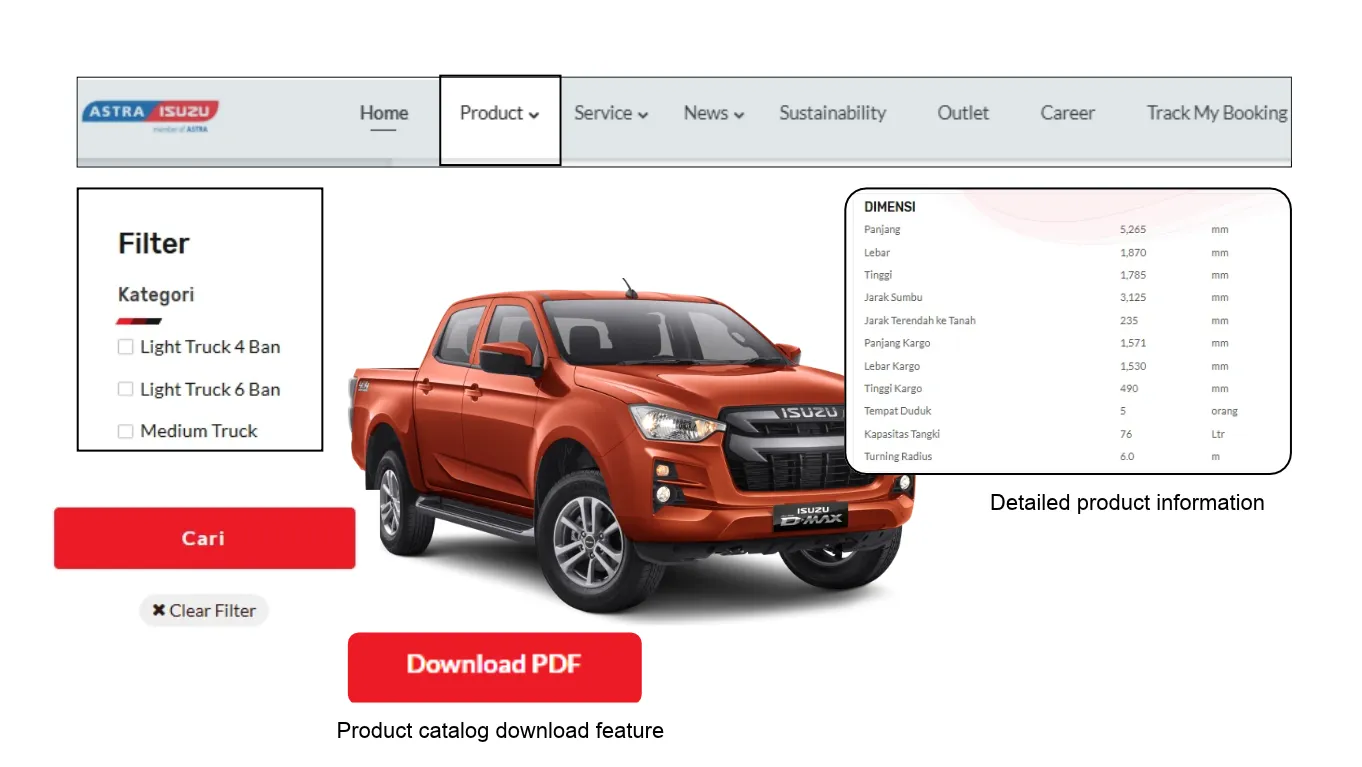
A vehicle catalog helps customers explore a dealership’s offerings without visiting the showroom. However, vehicle information must be organized properly, so customers can easily find the products they are looking for.
A dealership website should therefore include catalog and vehicle detail features such as:
- Vehicle Catalog: Displays available cars or motorcycles by brand, type, category, or availability status.
- Vehicle Details: Provides specifications, pricing, variants or series, photos, and vehicle descriptions.
- Filters and Search: Helps visitors narrow down vehicle options by type, price, brand, or specific specifications.
- Vehicle Gallery: Displays vehicle photos from multiple angles to give visitors a clearer view of each product.
2. Dealer Locator and Branch Information
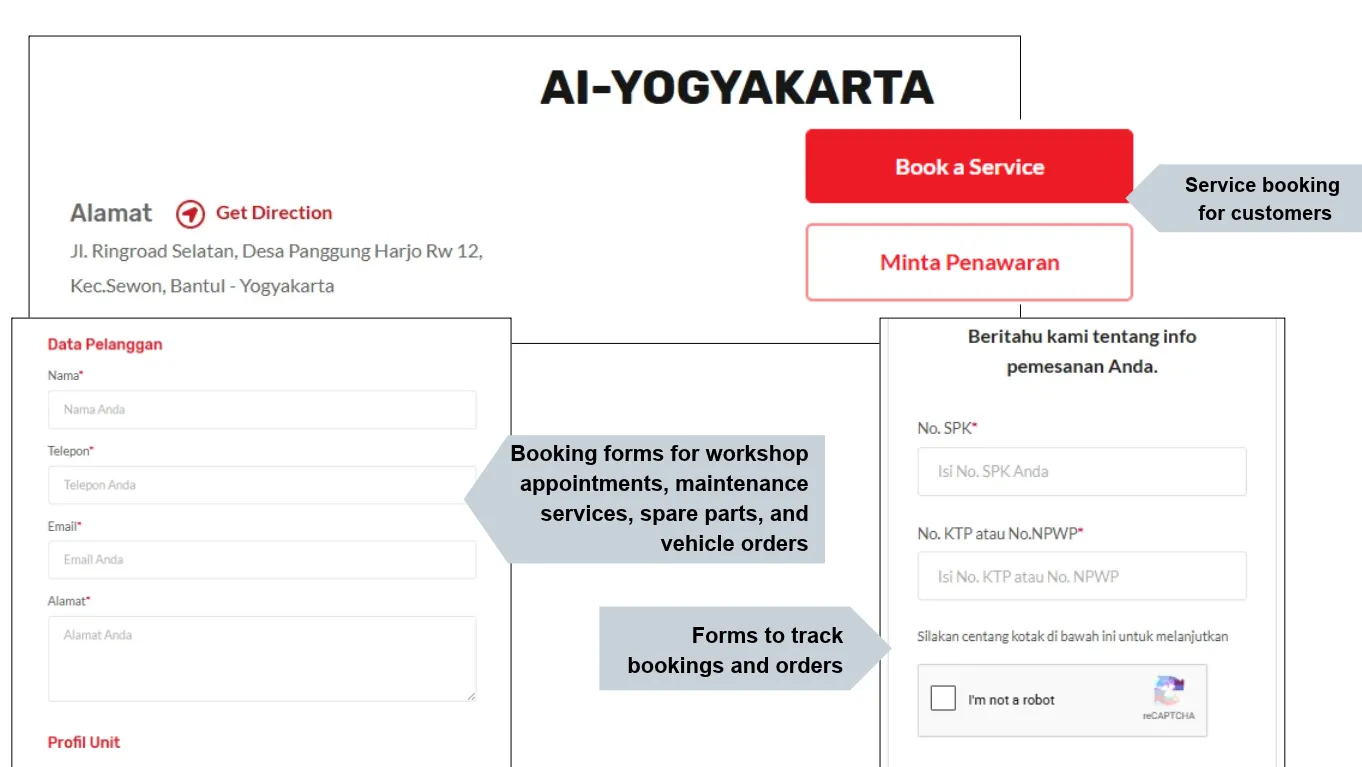
For automotive companies with extensive dealership networks, a dealer locator helps customers find the nearest branch or a dealership in their destination city. Let’s say Astra Isuzu has a dealer locator feature to help customers find nearby branches or dealerships in other cities.
The following dealer locator and branch information features can be implemented on a website:
- Dealer Location Map: Displays dealership locations across different areas through an interactive map.
- Nearby Dealer Search: Helps visitors find dealerships based on their city or region.
- Branch Information: Displays each dealership’s address, phone number, operating hours, and contact details.
- Directions: Links dealership locations to map applications to help visitors navigate to their chosen branch.
3. Dashboard and Operational Systems
A dealership website must be equipped with a management system for internal teams to update information and monitor data. A dashboard helps administrators manage website content without dealing with underlying code.
Several features that can be included in the dashboard and operational system are:
- Vehicle Catalog Management: Manages vehicle data, specifications, photos, pricing, and availability status.
- Branch Information Management: Updates addresses, contact details, operating hours, and service information for each dealership.
- Customer Inquiry Management: Tracks test drive requests, sales consultations, service bookings, and other form submissions.
- Operational System Integration: Connects the website to CRM, ERP, DMS, or other internal company systems through APIs.
- Access Control: Assigns administrator permissions based on individual roles and responsibilities.
4. Service Booking and Other Services
To support after-sales services, a website should include service booking features and access to other services available across the dealership network. This means customers shouldn’t always have to visit a branch or dealership in person to request a service. This activity makes the process more convenient and efficient.
What features can support service bookings and other after-sales services?
- Online Service Booking: Allows customers to request vehicle service appointments through a website form.
- Dealership or Workshop Selection: Lets customers choose a service location based on their area.
- Service Type Selection: Provides options for routine maintenance, repairs, vehicle inspections, and other available services.
- Service Request Form: Collects vehicle details, customer information, and reported issues before the dealership team follows up.
- After-Sales Service Information: Presents available services, workshop facilities, and applicable service policies.
5. Test Drive Booking and Sales Consultation
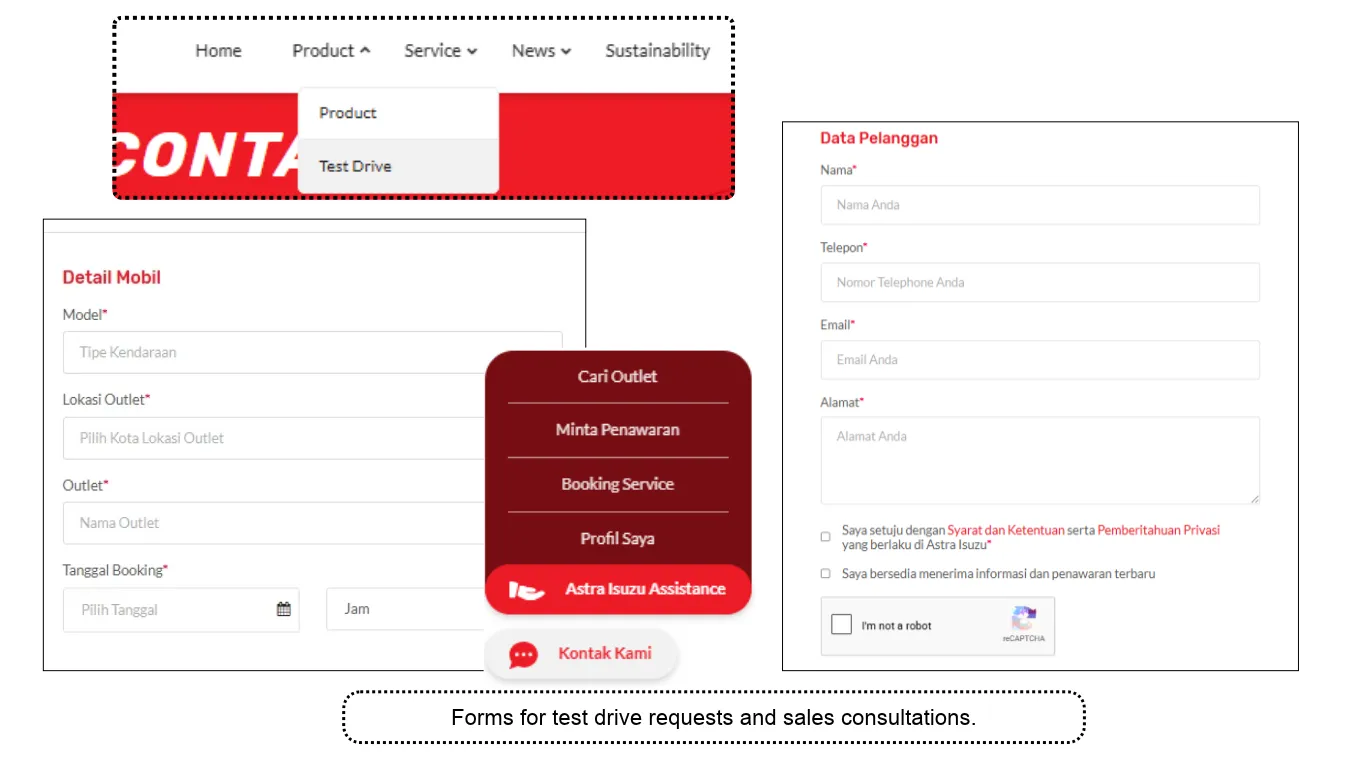
Prospective buyers who are interested in a particular vehicle can submit test drive or consultation requests directly through the website. This feature connects potential customers with the sales team without requiring them to look up dealership contact details manually.
Some features that can be implemented include:
- Test Drive Booking Form: Allows visitors to select a vehicle and request a test drive appointment.
- Test Drive Location Selection: Provides an option of dealerships or locations where test drives are available.
- Sales Consultation: Allows prospective buyers to request further information about a vehicle.
- Sales Team Inquiry Routing: Forwards customer details and requests to the relevant sales representative or branch.
- WhatsApp Integration: Connects customers with the sales team for further communication.
6. Promotions and Vehicle Offers
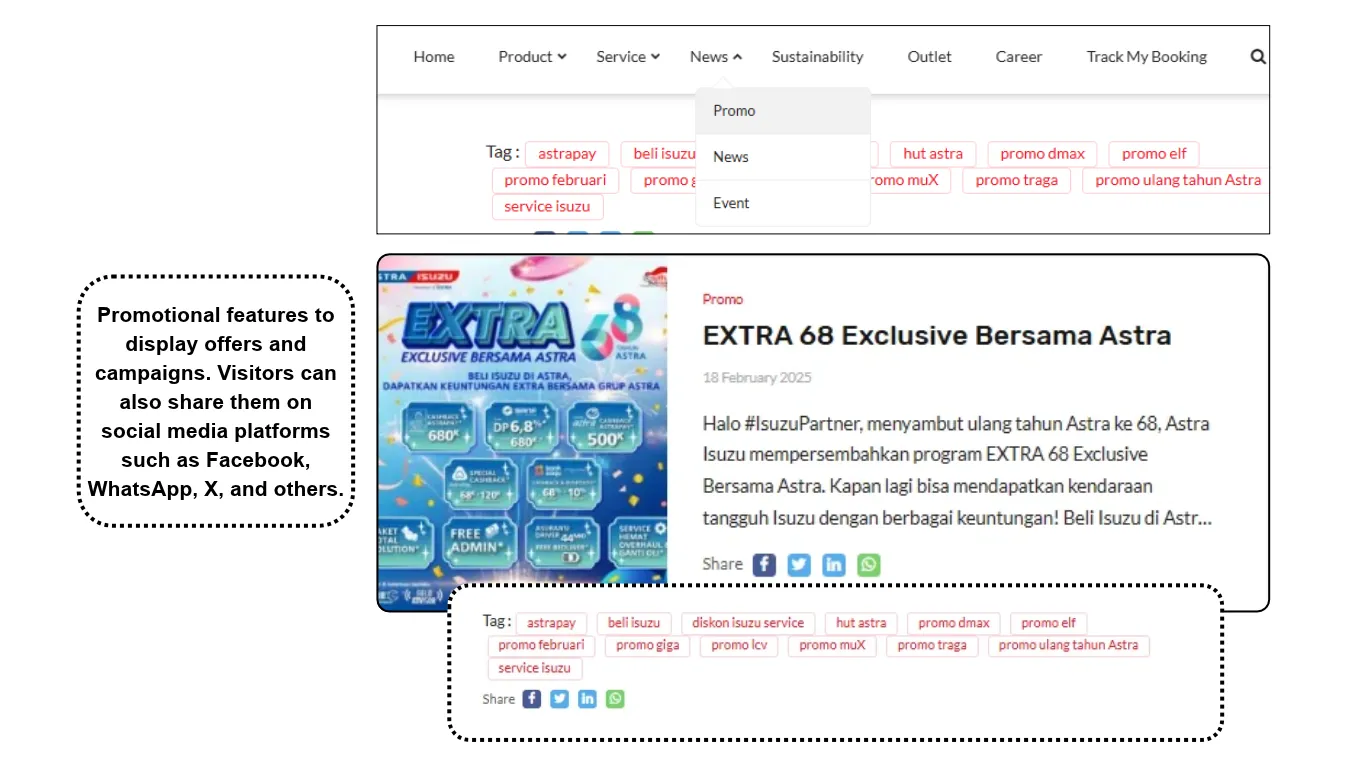
Promotional information and special offers can help prospective buyers evaluate their vehicle options. Attractive deals may also influence their purchasing considerations. From a business perspective, a website allows companies to showcase sales campaigns across their dealership networks.
The following features can support marketing activities for automotive dealerships:
- Vehicle Promotion Pages: Display discounts, cashback offers, and special deals.
- Financing Information: Provides details about down payments, installments, financing terms, and available financing options.
- Promotional Banners: Highlights sales campaigns and the latest offers on the website homepage.
- Promotion Periods and Terms: Explains the validity period and conditions of each offer.
- Promotion Inquiry Forms: Allows prospective customers to request further information about specific offers.
Develop Your Automotive Dealership and Sales Website with Tonjoo
An effective dealership website should accommodate customer requirements while supporting the company’s business processes. This means that feature selection, interface design, and system integrations must be planned around the project’s development objectives.
Tonjoo provides WordPress-based automotive dealership and sales website development services through a custom development approach. From vehicle catalogs and dealership network management to service bookings and operational system integrations, each project can be developed according to the company’s requirements.
Discuss your automotive dealership website requirements with the Tonjoo team to determine the right features and development solutions for your business. Explore options ranging from Headless CMS and WordPress to product catalog solutions.

Updated on November 5, 2026 by Anisa K.
